
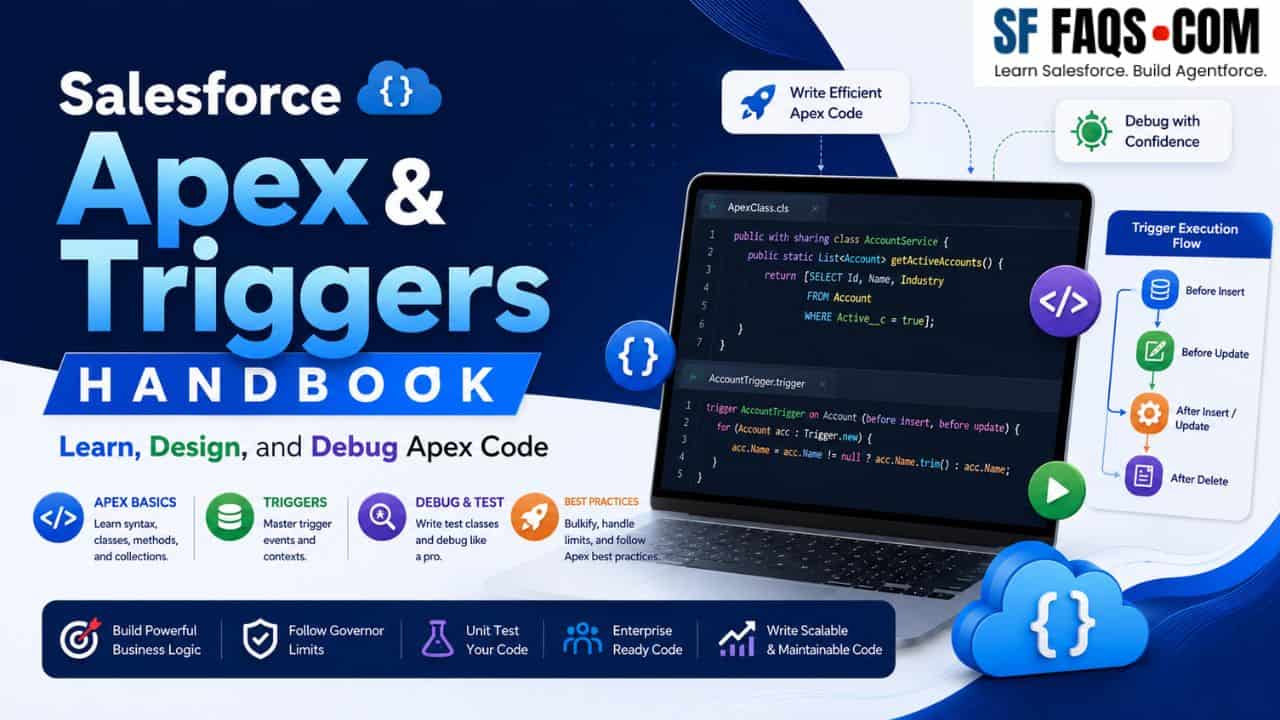
I put together this complete Apex handbook as a single, go-to reference for every developer working within the Salesforce platform — whether you’re just setting up your first dev environment or designing enterprise-grade trigger frameworks. This page organizes all the Apex tutorials I’ve written into focused sections so you can navigate directly to what you need.
Apex is Salesforce’s strongly typed, object-oriented programming language built natively into the platform. It lets me — and you — execute custom business logic in response to system events, write complex data operations, build automation, and create rich user interfaces using Visualforce. Think of it as the engine behind every advanced Salesforce customization.
My goal with this Apex & Triggers Handbook is simple:
- If you are new to Apex, you can follow a clean learning path from basics to advanced topics.
- If you already write Apex, you can use this page as a reference for trigger patterns, async Apex, callouts, LWC integration, and error handling.
You can bookmark this page and treat it as your main Apex guide while working on Salesforce implementations.
Who this Salesforce Apex & Triggers guide is for
This guide is for you if:
- You are an Admin or Consultant moving from “clicks” (Flows) into “code” (Apex).
- You are a Developer who wants clear, practical Apex examples instead of only theory.
- You are an Architect who wants to standardize Apex patterns across multiple projects.
I will start with Apex fundamentals, then dive into triggers, async Apex, callouts, LWC integration, and finally error handling and best practices.
Setting Up Your Development Environment
Before writing a single line of Apex, you need a properly configured development environment. These tutorials walk you through connecting VS Code to your Salesforce org and resolving common setup issues that trip up most new developers.
Variables, Data Types & Type Conversions
Understanding data types and how to convert between them is foundational to writing reliable Apex code. I cover every major conversion scenario here — from strings to integers, dates, booleans, blobs, and more — so you always know exactly how to handle data in any context.
- Variables and Data Types in Salesforce Apex
- How to Convert a String to an Integer using Apex in Salesforce
- How to Convert String to Date in Salesforce Apex
- How to Convert String to ID in Salesforce Apex
- How to Convert String to Boolean in Salesforce Apex
- How to Convert a String to Decimal in Salesforce Apex
- How to Convert String to Blob in Salesforce Apex
- How to Convert String to Datetime in Salesforce Apex
- How to Convert String to Double in Salesforce Apex
- How to Convert String to sObject in Salesforce Apex
- How to Convert ID to String in Salesforce Apex
- How to Convert Integer Data Type to Decimal in Salesforce Apex
- How to Convert Integer Data Type to String in Salesforce Apex
- How to Convert Date to String in Salesforce Apex
- How to Convert DateTime to Date Format in Salesforce Apex
- How to Convert JSON to String in Salesforce Apex
- How to Convert a JSON String to a Map in Salesforce Apex
- How to Convert List to String in Salesforce Apex
- How to Convert TimeZone Values in Salesforce
- How to Get Current Datetime in Apex Salesforce
- How to Extract Year, Month, and Day from a Date Field in Salesforce Apex
- How to Compare Two DateTime Values in Salesforce Apex
String Operations & the String Class
The String class in Apex is one of the most used tools in any developer’s toolkit. I’ve documented every important method — from case conversion and splitting to null checks, character detection, and SOQL-based string queries — so you can handle any string manipulation scenario with confidence.
- String Class in Apex Salesforce: Complete Guide with Methods & Examples
- String Class Methods in Salesforce Apex
- Apex String Methods to Determine Character Types in Salesforce
- String SOQL Queries in Salesforce Apex
- Contains() Method in Salesforce Apex
- How to Convert String to Lowercase and Uppercase in Salesforce Apex
- How to Split String Method in Salesforce Apex
- How to Reverse a String in Salesforce Apex
- How to Replace String in Salesforce Apex
- How to Remove First and Last Character from a String in Salesforce Apex
- How to Check if a String is Null, Empty or Blank in Salesforce Apex
Collections: List, Set & Map
Collections are at the heart of bulkified Apex code. In this section, I walk through how to create and work with Lists, Sets, and Maps — including how to convert between them — so you can write efficient, governor-limit-friendly logic that handles bulk data operations cleanly.
- Collections in Salesforce Apex: List, Set & Map Explained
- How to Create List Collection in Salesforce Apex
- How to Create Set Collection in Salesforce Apex
- How to Create Map Collection in Salesforce Apex
- Convert Apex List to Set and Map Collections in Salesforce
- How to Convert List to String in Salesforce Apex
- Custom Iterator Interface in Salesforce Apex
Control Flow, Loops & Operators
Writing clean, readable logic in Apex requires a solid understanding of control flow statements. Here, I cover every loop type, conditional structure, and operator — including some of the more powerful modern Apex features like the safe navigation operator and null coalescing operator.
- Loops in Salesforce Apex: For, While, Do-While Examples
- Logical and Looping Statements in Salesforce Apex Programming
- Salesforce Apex If Else, Nested If, and Switch Case Examples
- How to Use Switch Statement in Salesforce Apex
- Ternary Operator in Salesforce Apex
- Safe Navigation Operator in Salesforce Apex
- Null Coalescing Operator in Salesforce
- Create a For Loop to Iterate Through a SOQL Query
Object-Oriented Programming in Apex
Apex is a fully object-oriented language, and understanding its OOP principles unlocks cleaner, more maintainable architectures. I cover everything here — from classes and constructors, to inheritance, interfaces, polymorphism, abstraction, and advanced patterns like dependency injection.
- Object Oriented Programming in Salesforce Apex
- Inheritance in Salesforce Apex
- Interfaces in Salesforce Apex and How to Use It
- Polymorphism in Salesforce Apex
- Abstraction in Salesforce Apex
- Access Modifiers in Salesforce Apex Classes
- How to Create and Use Constructors in Salesforce Apex Classes
- Virtual Class in Salesforce Apex
- How to Create Wrapper Class in Salesforce Apex
- Dependency Injection in Salesforce Apex Class
- How to Create SObject in Salesforce Apex
- What is Schema Class in Salesforce Apex and How to Use It
- Salesforce Apex With, Without, Inherited and Omitted Sharing
- Exception Handling in Salesforce Apex
- Different Types of Exceptions in Salesforce Apex
- Display Custom Error Messages in Salesforce Apex
SOQL: Salesforce Object Query Language
SOQL is how I retrieve data from Salesforce, and it has far more depth than most tutorials cover. This section is the most comprehensive reference I’ve built — covering every clause, operator, pattern, limit, and security consideration you’ll need in real-world development.
SOQL Fundamentals
- Salesforce Object Query Language (SOQL) in Apex
- SOQL Query in Apex Programming
- SOQL vs SQL Difference in Salesforce
- What is the Difference between SOQL and SOSL in Salesforce
- SOQL Governor Limits in Salesforce
- Salesforce SOQL and SOSL Limits for Search Queries
- System.LimitException: Too Many SOQL Queries
SOQL Clauses & Operators
- ORDER BY Clause in SOQL
- GROUP BY Clause in SOQL
- GROUP BY Date Clause in SOQL
- HAVING Clause in SOQL
- DATE Clause in SOQL
- LIKE Clause in SOQL
- How to Query SOQL NOT LIKE Operator in Salesforce
- OFFSET Clause in SOQL
- IN Operator/Clause in SOQL
- For Clause in SOQL
- Salesforce SOQL Logical Operators
Advanced SOQL Techniques
- Dynamic Queries in SOQL
- How to Use Bind Variables in Salesforce SOQL
- Aggregate Query in Salesforce SOQL
- Salesforce Relationship Queries in SOQL
- Salesforce SOQL Inner Join and Outer Join Relationships
- Salesforce SOQL Distinct Queries
- Selective SOQL Queries in Salesforce
- Alias Notations in Salesforce SOQL
- How to Return Map Result from SOQL Query in Salesforce Apex
- Salesforce SOQL toLabel() Function
- Query to Count Child Records in Salesforce SOQL
- Create a For Loop to Iterate Through a SOQL Query
Querying Specific Objects & Scenarios
- Salesforce SOQL Query RecordType
- Get Record Type ID in Salesforce Apex
- How to Query Salesforce Picklist Field Values Using SOQL
- How to Find Deleted Records in Salesforce Using SOQL
- Query Records Created Today or Yesterday with SOQL in Salesforce
- Get User Or Logged-In User Details Using SOQL
- How do you Query Activity Related to Fields with SOQL in Salesforce
- How to Query Validation Rule in Salesforce
- Query Tasks Notes Attachments by Object Type Using SOQL in Salesforce
- SOQL Query on Group and GroupMember in Salesforce
- How to Query the ListView of an Object in Salesforce SOQL
- How do you Query Multi-Currency Fields in Salesforce SOQL
- Track Object Field History in Salesforce Using SOQL
- Salesforce Big Object and Async Query
Security & Permissions in SOQL
- Salesforce Field Security in SOQL WITH Security Enforced
- Validate CRUD Permission Before SOQL/DML Operation in Salesforce
- How to Avoid SOQL Injection in Salesforce
SOSL: Salesforce Object Search Language
SOSL is Salesforce’s full-text search language, and it operates very differently from SOQL. I cover both static and dynamic SOSL patterns here, along with a clear comparison so you know exactly when to use each one.
- Salesforce Object Search Language (SOSL) in Apex
- How to Create Dynamic SOSL Query in Salesforce Apex
- What is the Difference between SOQL and SOSL in Salesforce
DML: Data Manipulation Language
DML operations are how Apex writes data back to Salesforce. These tutorials go beyond simple insert/update/delete — I cover callout ordering, the addError() method, duplicate rule bypass, and record merging so you can handle every data operation scenario correctly.
- Data Manipulation Language (DML) in Salesforce Apex
- Salesforce DML Before and After Callout
- CANNOT EXECUTE FLOW TRIGGER Error With DML Operation in Salesforce
- addError() Method in Salesforce Apex
- Bypass Duplicate Rules Using Salesforce Apex
- How to Merge Records in Salesforce with Apex
- How to Clone the Record With Related List in Salesforce
Apex Triggers
Apex Triggers are the backbone of event-driven customization on Salesforce. This section covers everything — from trigger fundamentals and context variables, to the Trigger Handler Pattern, helper classes, recursion prevention, and real-world automation scenarios. I’ve structured these tutorials in the order I recommend learning them.
Trigger Fundamentals
- Apex Triggers in Salesforce
- Automate Processes Using Apex Triggers in Salesforce
- Before vs After Triggers in Salesforce: When to Use & Why
- Trigger Context Variable in Salesforce Apex
- Trigger.New in Salesforce Apex
- Trigger.Old in Salesforce Apex
- Trigger.newMap & Trigger.oldMap Context Variable in Apex Trigger
Trigger Design Patterns
- Trigger Handler Pattern in Salesforce Apex
- Apex Trigger Handler and Helper Class in Salesforce
- Trigger Helper Class in Salesforce
- How to Avoid Recursion in Salesforce Apex Triggers
Trigger Use Cases & Examples
- Restrict Record Deletion Using Salesforce Trigger
- Before Insert Validation in Salesforce Trigger
- Auto-Populate Fields Using Apex Trigger in Salesforce
- Create Rollup Summary on Lookup Relationship Using Salesforce Apex Trigger
- Write a Test Class For an Apex Trigger in Salesforce
- Assign Tasks in Salesforce Using Apex
Asynchronous Apex
Asynchronous Apex lets me run long-running jobs, schedule recurring processes, and chain complex logic outside of synchronous execution limits. These tutorials cover all three major async patterns — Batch, Scheduler, and Queueable — with practical, real-world examples.
- Asynchronous Apex in Salesforce
- Batch Apex in Salesforce With Examples
- Scheduler Apex in Salesforce With Examples
- Queueable Apex Chaining in Salesforce With Examples
- How to Schedule Jobs Using the Apex Scheduler in Salesforce
Visualforce Pages with Apex
Visualforce remains a widely used UI framework in existing Salesforce orgs. This section walks through building forms, controllers, PDFs, pagination, and file uploads — as well as how to bridge Visualforce with modern Lightning Web Components.
- How to Use Apex Controllers with Visualforce Pages
- Create a Visualforce Page with Apex Controller in Salesforce
- Create Forms Using Visualforce Page in Salesforce
- Generate PDFs in Salesforce with Visualforce Pages
- How to Implement Pagination in Salesforce Visualforce Pages
- Visualforce Page Tags in Salesforce
- What are Visualforce Components in Salesforce
- How to Add a Visualforce Page in Salesforce Lightning Pages
- Add Visualforce Page Tab in Salesforce
- How to Embed an Image in Salesforce Visualforce Pages
- Embed Reports Charts and Dashboards to Visualforce Pages in Salesforce
- Create User Registration Form Using Salesforce Visualforce
- File Upload Functionality in Salesforce: Visualforce & Apex
- Use Visualforce with Lightning Web Components in Salesforce
User Management with Apex
Managing users programmatically is a common enterprise requirement. I cover the full range of user operations here — creating users, activating or deactivating accounts, resetting passwords, managing group memberships, and reading current user context at runtime.
- How to Get Current User Info Using Apex in Salesforce
- How to Create a New User Using Salesforce Apex
- How to Activate or Deactivate User From Salesforce Apex
- How to Reset and Change User Password Using Salesforce Apex
- How to Add User to Group or Permission Set Using Salesforce Apex
- How to Show Logged-In User Details in the Salesforce Header
Apex Integration with Other Salesforce Features
Apex doesn’t work in isolation — it connects with Flows, Lightning Web Components, custom labels, email utilities, and REST callouts. These tutorials cover the integration touchpoints I use most frequently in production projects.
- How to Call Apex Class From Salesforce Flow
- Salesforce: Call Apex From Lightning Web Components (LWC)
- How to Access Custom Label in Salesforce Apex
- Send An Email to User and Public Group Using Apex in Salesforce
- How to Create a Mock Callout to Test the Apex Rest Callout in Salesforce
- How to Get The Picklist Value In Salesforce Apex Class
Troubleshooting & Debugging
Even experienced developers run into Apex errors that are hard to diagnose. I’ve documented the most common runtime errors, limit exceptions, and flow-trigger conflicts here — with clear explanations and proven fixes.
