
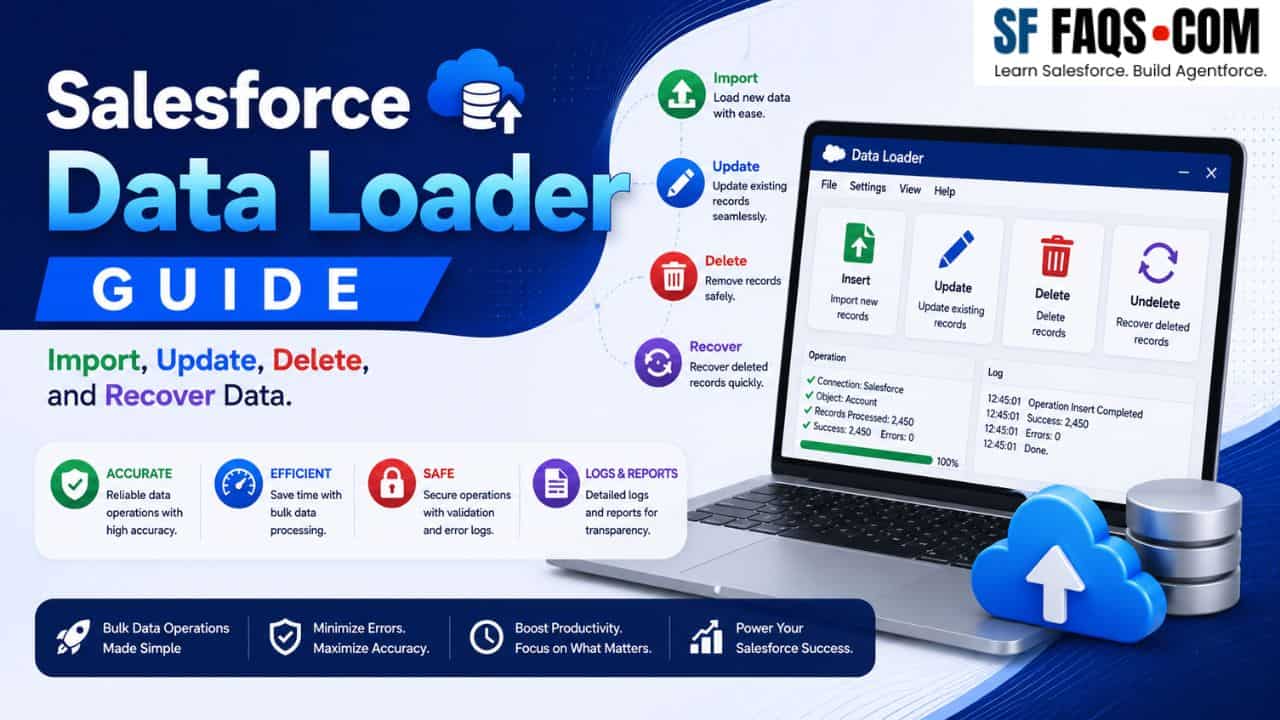
On this page, I have collected all my Salesforce Data Loader tutorials in one place so that you can quickly find the exact example you need when working with bulk data.
Whenever you need to import data, mass‑update records, manage users in bulk, or even recover deleted data, you can bookmark this Salesforce Data Loader guide and use it as your reference.
In this Data Loader hub, I will:
- Show you how to install and set up Salesforce Data Loader.
- Walk through import, update, upsert, and delete operations with real examples.
- Cover mass‑update scenarios for users, territories, campaign members, and more.
- Include a full list of all Data Loader tutorials at the end.
Start here: Install and understand Data Loader
If you are new to Data Loader, start with installation and the basic operation types.
- Install Salesforce Data Loader For Windows
- Insert Operation in Salesforce Data Loader
- Update Data With Data Loader in Salesforce
- Upsert Data With Data Loader in Salesforce
- Delete The Records using Data Loader in Salesforce
- Insert Null Or Blank Values With The Salesforce Data Loader
These tutorials will help you:
- Install Data Loader on Windows.
- Understand the difference between insert, update, upsert, and delete.
- Handle special cases like inserting blank values correctly.
Importing data with Salesforce Data Loader
Use these tutorials when you need to import various types of data into Salesforce.
Import users and user‑related data
Import business data (contacts, opportunities, tasks, etc.)
- Import Contacts As Campaign Members With Data Loader in Salesforce
- Import Opportunities Into Salesforce Via Data Loader
- Import Opportunity Contact Roles With Data Loader in Salesforce
- Import Order Products With Data Loader in Salesforce
- Import Tasks Or Events Into Current Records in Salesforce Via Data Loader
Import attachments and notes
These examples show you how to prepare your CSV files, map fields, and import each data type correctly.
Mass‑update operations with Data Loader
Data Loader is perfect for mass‑update scenarios that would be painful to do manually.
Mass‑update users
- Mass Deactivate Users in Salesforce Via Data Loader
- Mass Update User Licenses With Data Loader in Salesforce
- Mass Update Email Addresses And Usernames With Data Loader in Salesforce
- How to Mass Delete Leads in Salesforce [2 Easy Ways]
Mass‑update records and ownership
- Mass Update Account Ownership With Data Loader in Salesforce
- Mass Update Territory On Opportunity Records Via Data Loader in Salesforce
- Mass Update Campaign Member Status With Data Loader in Salesforce
- Mass Update Record Types With Data Loader in Salesforce
Mass‑update related configuration
These tutorials help you design safe, repeatable bulk updates when your data or configuration changes.
Managing users with Data Loader (freeze, unfreeze, deactivate)
User management is a very common real‑world use case for Data Loader.
- Freeze Unfreeze Users Salesforce Data Loader
- Freeze Or Unfreeze Multiple Users Via Salesforce Data Loader
- Mass Deactivate Users in Salesforce Via Data Loader
Use these when you:
- Need to freeze/unfreeze many users at once.
- Are offboarding or reorganizing and need to deactivate users in bulk.
Working with products, price books, and opportunity teams
When you work with products, price books, and opportunity teams, Data Loader can save you a lot of time.
- Associate Products To Standard Price Book And Custom Price Books Via The Data Loader in Salesforce
- Insert Or Update Price Books With Data Loader in Salesforce
- Deactivate Standard Products in A Standard Price Book Via Data Loader in Salesforce
- Import Order Products With Data Loader in Salesforce
- Add Or Remove Opportunity Team Members With Data Loader in Salesforce
- Bulk Create Campaigns in Salesforce Via Data Loader
These scenarios are especially useful when setting up a new org, doing a large migration, or restructuring sales processes.
Deleting records with Data Loader (safely)
Deletions are risky, so it’s important to use clear patterns and always have a backup.
- Delete The Records using Data Loader in Salesforce
- Mass Delete Opportunities in Salesforce using Data Loader
Whenever you delete, I recommend:
- Export the data you plan to delete first as a backup.
- Test the process in a sandbox.
- Use the recovery approach detailed below if something goes wrong.
Recovering and restoring deleted data
If something does go wrong, or if you need to restore historical data, Data Loader can help.
This tutorial shows you how to:
- Export deleted records from the Recycle Bin (where possible).
- Reinsert or upsert them back into Salesforce using Data Loader.
Exporting data with Data Loader
Use Data Loader not just for imports, but also when you need to export data for analysis, backup, or migration.
You can apply similar steps to export other object data as needed.
All Salesforce Data Loader tutorials (index)
Here is the full index of all Data Loader tutorials on my site. If you don’t see what you need in the sections above, you can scan this list for the exact scenario.
- Add Or Remove Opportunity Team Members With Data Loader in Salesforce
- Assign Permission Sets using Data Loader in Salesforce
- Associate Products To Standard Price Book And Custom Price Books Via The Data Loader in Salesforce
- Bulk Create Campaigns in Salesforce Via Data Loader
- Deactivate Standard Products in A Standard Price Book Via Data Loader in Salesforce
- Delete The Records using Data Loader in Salesforce
- Export Salesforce Users Data With Data Loader
- Freeze Or Unfreeze Multiple Users Via Salesforce Data Loader
- Freeze Unfreeze Users Salesforce Data Loader
- Import Attachments With Data Loader in Salesforce
- Import Contacts As Campaign Members With Data Loader in Salesforce
- Import Opportunities Into Salesforce Via Data Loader
- Import Opportunity Contact Roles With Data Loader in Salesforce
- Import Order Products With Data Loader in Salesforce
- Import Tasks Or Events Into Current Records in Salesforce Via Data Loader
- Import The Notes Via Data Loader in Salesforce
- Import Users using Data Loader in Salesforce
- Insert Multiple Users With Data Loader in Salesforce
- Insert Null Or Blank Values With The Salesforce Data Loader
- Insert Operation in Salesforce Data Loader
- Insert Or Update Price Books With Data Loader in Salesforce
- Install Salesforce Data Loader For Windows
- Mass Change Email Templates Folder With Salesforce Data Loader
- Mass Deactivate Users in Salesforce Via Data Loader
- Mass Delete Opportunities in Salesforce using Data Loader
- Mass Update Account Ownership With Data Loader in Salesforce
- Mass Update Campaign Member Status With Data Loader in Salesforce
- Mass Update Email Addresses And Usernames With Data Loader in Salesforce
- Mass Update Record Types With Data Loader in Salesforce
- Mass Update Territory On Opportunity Records Via Data Loader in Salesforce
- Mass Update User Licenses With Data Loader in Salesforce
- Recover And Restore The Deleted Data using The Salesforce Data Loader
- Update Data With Data Loader in Salesforce
- Update Picklist Multi Select Values in Salesforce With Data Loader
- Upsert Data With Data Loader in Salesforce
More Data Loader tutorials
Further guides on this topic, newest additions included.