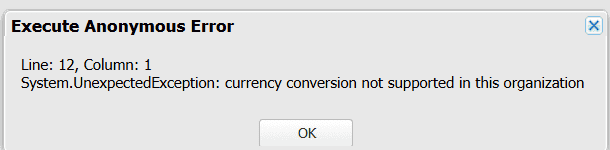
In Salesforce, if the organization has set up multiple currencies, we can query the currency value in the desired currency rate from the enabled currencies. In Salesforce, we will learn how to query the multi-currency fields in SOQL.
To query multiple currency fields, multiple currency settings must be set up in Salesforce. The enabled currency types will be eligible for querying after activation.
In this Salesforce tutorial, I will explain how to query multi-currency fields in Salesforce SOQL.
Query Multi-Currency Fields in Salesforce SOQL
In the steps below, we will discuss querying multi-currency fields in Salesforce SOQL using various examples.
Example-1:
Let’s say we have a currency field “Annual Revenue” in the Account object, and the default currency is the Australian dollar (AUD) in the org. Still, we need the amount value converted into user currency in the U.S. dollar (USD).
To fetch the Account field amount based on the user’s currency, we can use Format() and convertCurrency() functions in SOQL.
Format(): This function can be used in SOQL select statements to format date, time, and currency fields based on the user’s locale.
convertCurrency(): This function can also be used in SOQL select statements to convert the currency fields to the user’s currency.
Now, we will execute the SOQL query to convert the currency from AUD to USD using the Format() and convertCurrency() functions.
SELECT Name, CurrencyIsoCode, AnnualRevenue, FORMAT(convertCurrency(AnnualRevenue)) ConvertedinUserCurrency
FROM Account
WHERE Name = 'Burlington Textiles Corp of America'Here, we have queried the Name, CurrencyIsoCode, and AnnualRevenue values of the specific account record.
Output:

The default currency in the account is AUD, but the FORMAT() and convertCurrency() functions allow us to convert it to the user’s currency, USD.
In the same way, we have queried the currency field for another user’s currency, EURO, using the SOQL query above.
Output:

Example-2:
Let’s take another scenario where we have opportunity records having multiple currencies, and we want to get those currency values along with their amount conversion rate in the organization’s default currency.
To fetch the Opportunity Amount based on the corporate currency, we can use the formula CURRENCYRATE. This formula returns the conversion rate to the corporate currency for the specified ISO code of the given currency.
Follow the steps below to create the formula field.
1. Navigate to the Salesforce Object Manager tab and select the Opportunity object.
2. In the Fields and Relationships, click on the New button.
3. Select the Formula data type, enter the formula below in the formula editor, and save it.
Amount/CURRENCYRATE(TEXT(CurrencyIsoCode))
Now, in the developer console query editor or the Salesforce Workbench, we will execute the following SOQL query to show the currency converted into corporate currency.
SELECT Name, CurrencyISOCode, Amount , Corporate_Amount__c FROM Opportunity Where NAme in ('Alfred Chemical ltd.', 'Edge Emergency Generator', 'Emerson Transport', 'Delphi Chemicals')Output:

This way, we can query multi-currency fields in Salesforce SOQL queries using the above methods.
Example-3:
In Salesforce SOQL queries, we cannot use the convertCurrency() with the WHERE clause. We can use the syntax below to convert a numeric value to the user’s currency from any active currency in the org.
WHERE Object_name Operator CURRENCY_ISO_CODEvalueFor example, you have to query the currency field amount from the Opportunity where the amount is greater than 2500 for USD. Then, we can execute the SOQL query below.
SELECT Id, Name
FROM Opportunity
WHERE Amount > USD2500This query will compare the amount with the USD value and return the opportunity record if its amount is more than 2500 USD.

When we enter the amount values without the ISO codes, it will only take the numerical values.
We also cannot use the ISO values when we use the IN operator with the WHERE clause in the SOQL query.
Suppose a query contains a GROUP BY, HAVING, or ORDER BY clause. In that case, we cannot convert the result of an aggregate function into the user’s currency by calling the convertCurrency() function.
Conclusion
In this Salesforce tutorial, we have learned to convert currency values into the user’s local currency or other desired currencies using the functions FORMAT() and convertCurrency(). Additionally, we create a formula field using the ‘CURRENCYRATE‘ function, which enables the conversion of amounts into the corporate currency.
Following the above methods, you can efficiently query and convert the multiple currency fields in Salesforce SOQL.
You may also like to read:
- Query Records Created Today or Yesterday with SOQL in Salesforce
- Query Activity Related To Fields With SOQL in Salesforce
- Salesforce SOQL toLabel() Function
- Convert TimeZone Values in Salesforce
- Query the ListView of an Object in Salesforce SOQL

Abhijeet is a skilled Salesforce developer with experience in developing and integrating dashboards, data reports, and Salesforce applications. He is also skilled at optimizing processes and flow automation processes, coding, and executing complex project architecture. Read more about us | LinkedIn Profile.