
If you are new to Salesforce, you may often hear the term SFDC. Many beginners feel confused and think SFDC and Salesforce are two different things.
But in reality, they are almost the same, and understanding this clearly will help you build a strong foundation in Salesforce.
Salesforce was founded over twenty years ago. It changed how businesses work with customers by moving everything online.
SFDC offers different “clouds” for various business needs. These include Sales Cloud, Service Cloud, and Marketing Cloud. Each one has special tools to help teams work better.
In this article, we will explain everything in detail, including the meaning of SFDC, its features, working process, examples, and comparisons.
What is SFDC?
SFDC stands for Salesforce Dot Com. It is a cloud-based platform used by companies to manage customer data, sales activities, and business processes.
The term SFDC was commonly used earlier, and even today, many professionals still use it in conversations.
In simple terms, SFDC is a system that stores and manages all a business’s customer-related information in one place.
It helps teams such as sales, marketing, and support work together efficiently. Since it is cloud-based, users can access it anytime, anywhere with an internet connection.
Defination
SFDC is a cloud-based Customer Relationship Management (CRM) platform that helps organizations manage customer interactions and business processes effectively.
It allows companies to store customer data, track communication, and automate workflows.
It is designed to improve customer relationships by providing a centralized system for all customer-related activities.
Businesses can use SFDC to increase productivity, improve customer satisfaction, and make better data-driven decisions.
What is CRM in SFDC?
CRM stands for Customer Relationship Management. It is a strategy and technology used by companies to manage interactions with customers and potential customers. SFDC is one of the most popular CRM platforms used worldwide.
In CRM, all customer information, like contact details, purchase history, and communication records, is stored in one place.
This helps businesses understand customer behavior and provide better services. CRM also helps build long-term customer relationships.
Why is SFDC Important?
SFDC is important because it helps businesses manage their operations more efficiently. It provides a centralized platform where all teams can access the same data and work together smoothly. This reduces confusion and improves communication.
It also helps companies automate repetitive tasks, which saves time and effort. By using reports and dashboards, businesses can analyze data and make better decisions. Overall, SFDC helps improve sales, customer satisfaction, and business growth.
Key Features of SFDC
Below, I will explain the key features of SFDC.
1. Cloud-Based Platform
SFDC runs in the cloud, so you do not need to install any software on your computer. Users can access the system using a browser from anywhere in the world. This makes it very flexible and easy to use.
Cloud-based systems also provide automatic updates, so users always get the latest features. It reduces the need for hardware and maintenance costs. This is one of SFDC’s biggest advantages.
2. Customer Data Management
SFDC allows businesses to store all customer information in one place. This includes details like name, email, phone number, and interaction history. Having all data in one system makes it easy to access and manage.
It also helps in tracking customer behavior and preferences. This information can be used to provide personalized services. As a result, customer satisfaction improves.
3. Sales Management
SFDC helps sales teams manage leads, opportunities, and deals effectively. A lead is a potential customer, and an opportunity is a possible sale. The system tracks every stage of the sales process.
Sales teams can see which deals are in progress and which ones are closed. This helps them focus on important tasks and close deals faster. It also improves sales performance.
4. Automation
Automation in SFDC reduces manual work by automating tasks. For example, sending emails, updating records, or assigning tasks can be automated. This saves time and reduces errors.
Tools like Flow and Apex are used for automation in Salesforce. Automation also ensures consistency in business processes. It helps teams focus on more important work.
5. Reports and Dashboards
SFDC provides powerful reporting and dashboard features. Reports allow users to analyze data in a structured format. Dashboards display data visually using charts and graphs.
These tools help businesses understand performance and identify trends. Managers can use this data to make better decisions. It also helps track progress and set goals.
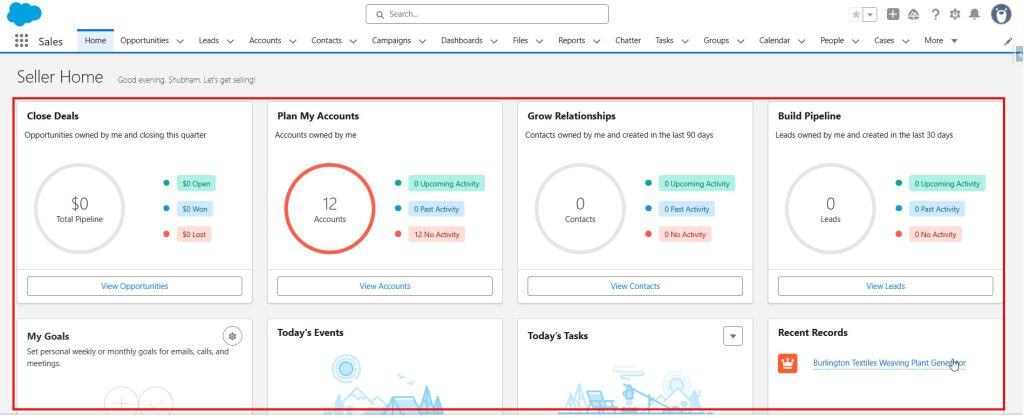
6. Customization
SFDC allows users to customize the system according to their business needs. Users can create custom objects, fields, and applications. This makes the platform very flexible.
Customization ensures that the system matches the exact requirements of the business. It also improves efficiency and user experience. This is one of the key reasons why SFDC is widely used.
Types of Clouds in SFDC
Below are different types of clouds in Salesforce that help businesses manage their operations.
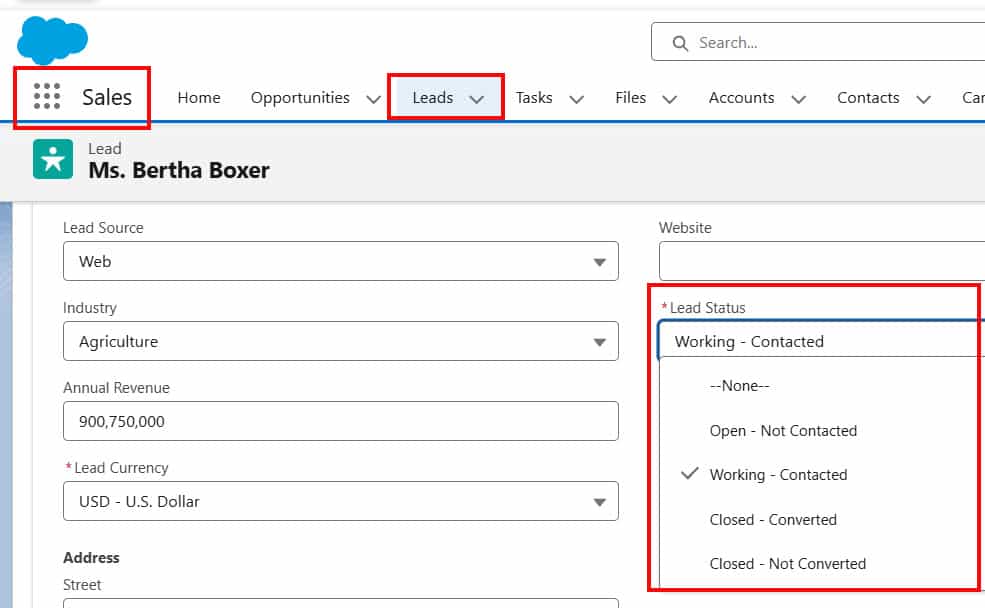
1. Sales Cloud in Salesforce
Sales Cloud is used to manage sales processes, such as lead management and opportunity tracking. It helps sales teams track their activities and close deals faster.
It also provides tools for forecasting and performance tracking. Sales managers can monitor team performance and plan strategies accordingly.
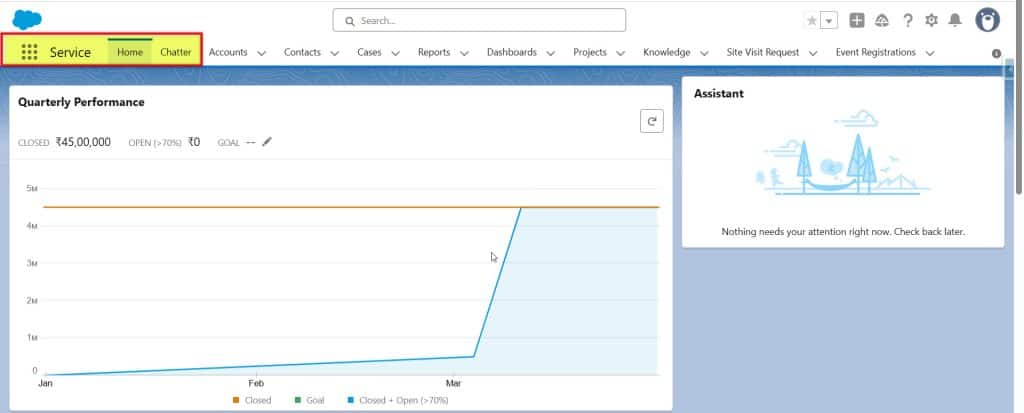
2. Service Cloud in Salesforce
Service Cloud is used for customer support and service management. It helps in handling customer queries and issues efficiently.
It provides features such as case management and automated support. This improves customer satisfaction and service quality.
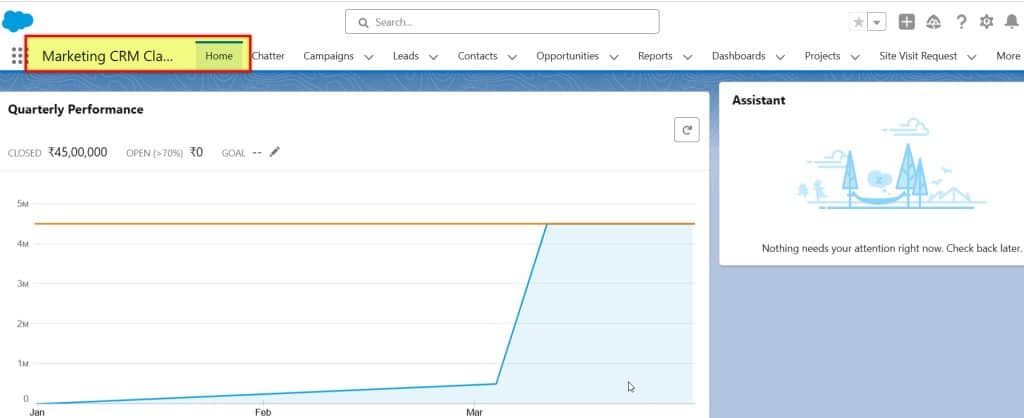
3. Marketing Cloud in Salesforce
Marketing Cloud is used for marketing activities like email campaigns and customer engagement. It helps businesses reach the right audience.
It also provides tools for automation and analytics. This helps in improving marketing performance.
4. Experience Cloud in Salesforce
Experience Cloud is used to create online communities for customers and partners. It allows businesses to connect with users and provide support.
It improves collaboration and communication. Customers can easily find solutions and interact with the company.
Salesforce Platform Fundamentals
Salesforce is a cloud computing service that offers CRM solutions. It lets companies track sales, customer service, and marketing efforts in one place.
The platform uses a software-as-a-service (SaaS) model, allowing users to access it via the internet without installing software.
Salesforce offers many tools for businesses. These include:
- Sales Cloud for managing leads and deals
- Service Cloud for customer support
- Marketing Cloud for running campaigns
The platform is flexible and can be customized to fit different business needs. It also integrates with many other business apps.

Customer Relationship Management with Salesforce
Salesforce’s CRM system enables businesses to manage customer data effectively and enhance customer interactions. It provides tools to organize information and to improve customer satisfaction.
Managing Customer Data in Salesforce
Salesforce CRM centralizes customer information in one place. It stores contact details, purchase history, and communication records. This makes it easy for teams to access and update data.
The system allows users to create custom fields and reports. These features help track specific customer needs and preferences. Salesforce also offers data-cleaning tools to ensure information remains accurate and up-to-date.
Security is a key focus. The CRM uses encryption and access controls to safeguard sensitive customer information, ensuring it remains secure and confidential.
Enhancing Customer Interactions in Salesforce
Salesforce CRM provides tools to improve customer communication. It offers email integration, allowing teams to send personalized messages directly from the platform.
Salesforce tracks customer inquiries and support tickets, helping businesses respond quickly and efficiently to customer needs. It also includes features for managing social media interactions.
Analytics tools help identify trends in customer behavior. This allows companies to tailor their approach and offer better service. The CRM can also automate routine tasks, freeing up time for more meaningful customer engagement.
Mobile apps enable sales teams to access customer data on the go, allowing them to provide responsive service from anywhere.
Salesforce Automation and Efficiency

Salesforce automation boosts productivity and streamlines business operations. Reducing manual tasks helps companies work smarter and faster.
CRM Analytics: Transforming Data into Insights in Salesforce
CRM Analytics in Salesforce makes it easy to understand customer data. It gathers information from sales, service, and marketing and transforms it into clear visuals, enabling users to quickly identify trends and patterns.
Some key features of CRM Analytics include:
- Real-time data updates
- Custom dashboards
- AI-powered predictions
These tools help teams make better choices. Sales representatives can identify which leads are most likely to make a purchase. Service agents can identify common issues more quickly. Marketers can determine which campaigns are most effective.
Frequently Asked Questions
SFDC offers a wide range of tools and features for businesses, covering customer relationship management, marketing, development, and more.
1. What is the full form of SFDC?
SFDC stands for Salesforce Dot Com. It is the original name of the Salesforce platform and is still widely used.
2. Are SFDC and Salesforce the same?
Yes, both are the same. SFDC is just a short or informal term for Salesforce.
3. What is SFDC used for?
SFDC is used to manage customer data, sales, marketing, and support activities. It helps businesses improve efficiency and customer relationships.
4. Is SFDC easy to learn?
Yes, beginners can learn SFDC with practice. There are many resources available to help you understand it easily.
5. Why is SFDC popular?
SFDC is popular because it is flexible, scalable, and easy to use. It helps businesses of all sizes manage their operations effectively.
Conclusion
SFDC is a powerful CRM platform that helps businesses manage customer relationships and improve their operations. It is widely used across industries due to its flexibility and features.
Understanding SFDC is the first step in learning Salesforce. With the right knowledge and practice, you can build a successful career in Salesforce.
Many businesses rely on SFDC to improve customer relationships. It gives them a 360-degree view of their customers, helping them make informed decisions and deliver better service.
You may like to read:

I am Bijay Kumar, the founder of SalesforceFAQs.com. Having over 10 years of experience working in salesforce technologies for clients across the world (Canada, Australia, United States, United Kingdom, New Zealand, etc.). I am a certified salesforce administrator and expert with experience in developing salesforce applications and projects. My goal is to make it easy for people to learn and use salesforce technologies by providing simple and easy-to-understand solutions. Check out the complete profile on About us.