Agentforce for Service: Set Up, Test and Deploy a Service Agent in Salesforce
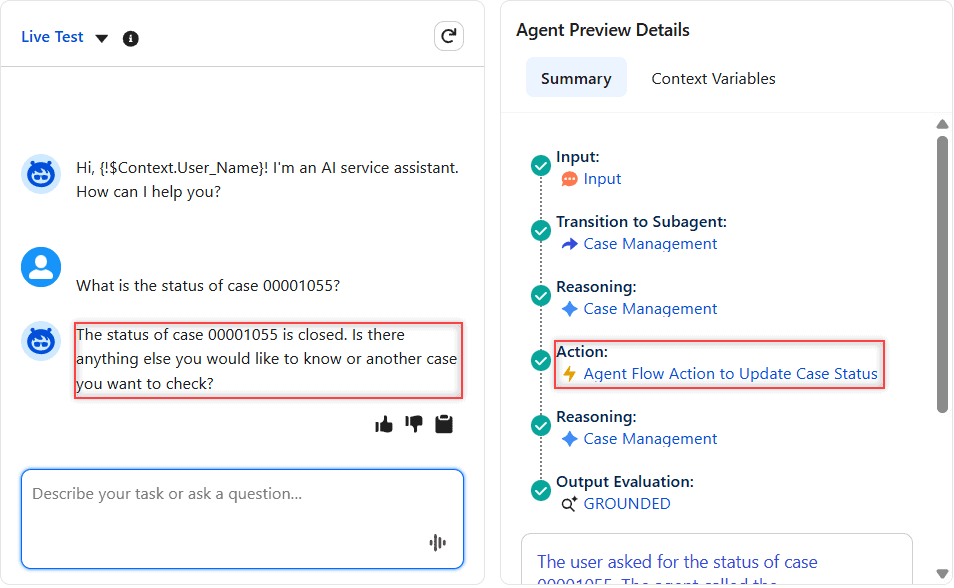
Set up Agentforce for Service in Agentforce Studio: subagents, agent user access, data library, Live Test, and deploying to Enhanced Chat and email.

Set up Agentforce for Service in Agentforce Studio: subagents, agent user access, data library, Live Test, and deploying to Enhanced Chat and email.
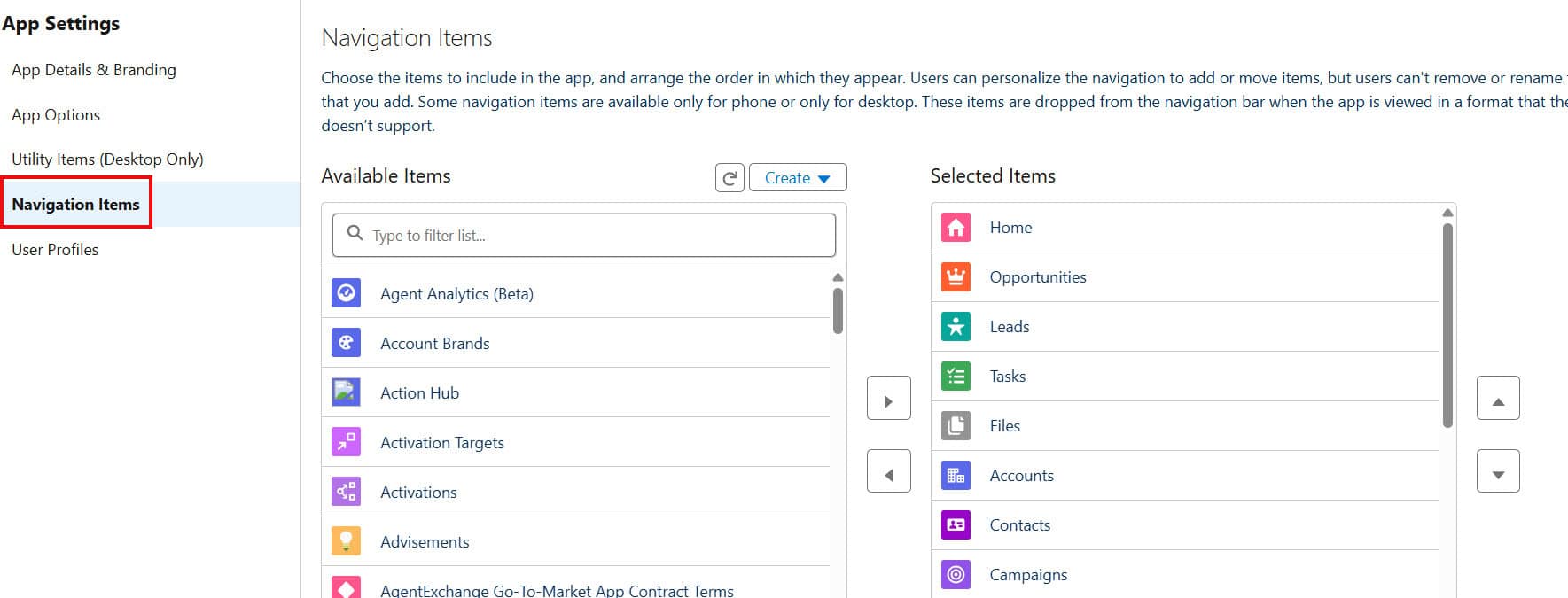
To add a custom navigation menu in Salesforce Lightning, open Setup > App Manager, edit the Lightning app, and choose the items for its navigation bar in the Navigation Items step. The Lightning navigation bar is the row of tabs across the top of the page (Home, Leads, Accounts, Contacts and so on), and every … Read more >>>

To filter out null values in a Salesforce report, add a filter on the field, set the operator to not equal to, and leave the value box completely empty. The report then keeps only records where that field has a value, and every blank (null) row disappears. This is the answer to the common search … Read more >>>

To merge contacts in Salesforce Lightning Experience, open one of the duplicates, click View Duplicates in the Potential Duplicates panel, select up to three contacts, choose the principal record and the field values to keep, and click Merge. The other contacts are deleted and their related records move to the principal contact; the merge can’t … Read more >>>

To display a toast notification in a Lightning Web Component (LWC), import ShowToastEvent from lightning/platformShowToastEvent and dispatch it with a title, message and variant: this.dispatchEvent(new ShowToastEvent({ title: ‘Success’, message: ‘Record saved’, variant: ‘success’ })). The variant (success, error, warning or info) sets the colour and icon, and the mode decides whether the toast closes by … Read more >>>

To call an approval process from Flow in Salesforce, add the Submit for Approval core action to your flow, set Record ID to the record and Approval Process Name Or ID to the approval process’s API name, and optionally add a submission comment. In a record-triggered flow this submits records automatically, so users no longer … Read more >>>

To send a custom notification using Flow in Salesforce, create a Custom Notification Type in Setup, then add the Send Custom Notification action to a flow with four inputs: the notification type’s Id (from Get Records), a title, a body and a text collection of recipient Ids. The notification appears in the recipients’ bell and, … Read more >>>

The Apex Scheduler runs an Apex class automatically at a set time: you write a class that implements the Schedulable interface, then schedule it with System.schedule(‘Job name’, ‘0 0 7 * * ?’, new MyClass()) or from Setup → Apex Classes → Schedule Apex. You stop it with System.abortJob(jobId) or the Del link on the … Read more >>>

The String class in Apex is Salesforce’s built-in class for working with text, with methods such as contains(), substring(), split(), replace() and trim(). Instance methods are called on a String variable (name.trim()), and static methods are called on the class itself (String.isBlank(name)). I ran every method in this tutorial as anonymous Apex in a Salesforce … Read more >>>

The CURRENCYRATE function in Salesforce returns the conversion rate from your corporate currency to the currency you name with its ISO code, for example CURRENCYRATE(“EUR”). Multiply an amount in the corporate currency by it to convert the amount, and expect 1.0 when the code is invalid or the org doesn’t use multiple currencies. I tested … Read more >>>