
In today’s digital world, customers interact with businesses through many channels, such as websites, mobile apps, chatbots, and more.
Companies want to provide a fast, personalized, and consistent experience across all these platforms. This is where the concept of Headless 360 in Salesforce becomes very important.
In simple terms, Headless 360 means using Salesforce as a powerful backend system while building a custom frontend using modern technologies.
This approach helps businesses deliver a better user experience without relying entirely on Salesforce’s UI.
In this article, we will understand everything about Headless 360 in Salesforce, with real-time examples, architecture, and guidance on where to add screenshots for better clarity.
What is Headless Architecture?
In Salesforce, “Headless” means that the frontend (user interface) is completely separated from the backend (Salesforce system).
The backend handles data storage, business logic, automation, and integrations, while the frontend is built with technologies such as React, Angular, or mobile apps.
This separation allows developers to create highly customized, high-performance user interfaces. Instead of using standard Salesforce pages, businesses can design their own UI based on their needs.
Communication between the frontend and Salesforce occurs via APIs such as REST or GraphQL. This makes the system more flexible and scalable.
Key Points:
- Frontend and backend are independent systems
- Salesforce works only as a backend engine
- APIs are used to communicate between systems
- UI can be built using any modern framework
What is Customer 360 in Salesforce?
Customer 360 is a concept in which all customer-related data is stored and managed in a single place. Salesforce collects data from various clouds, such as Sales Cloud, Service Cloud, and Marketing Cloud, to provide a complete view of the customer.
This means a company can see everything about a customer, such as purchase history, support cases, email interactions, and preferences.
Having this unified view helps businesses make better decisions and provide personalized services. Customer 360 is the foundation for delivering a consistent experience across all channels.
Example:
- A customer buys a product – stored in Salesforce
- Customer raises a complaint – stored as a Case
- Customer receives marketing emails – tracked
All this data is available in one place.
What is Headless 360 in Salesforce?
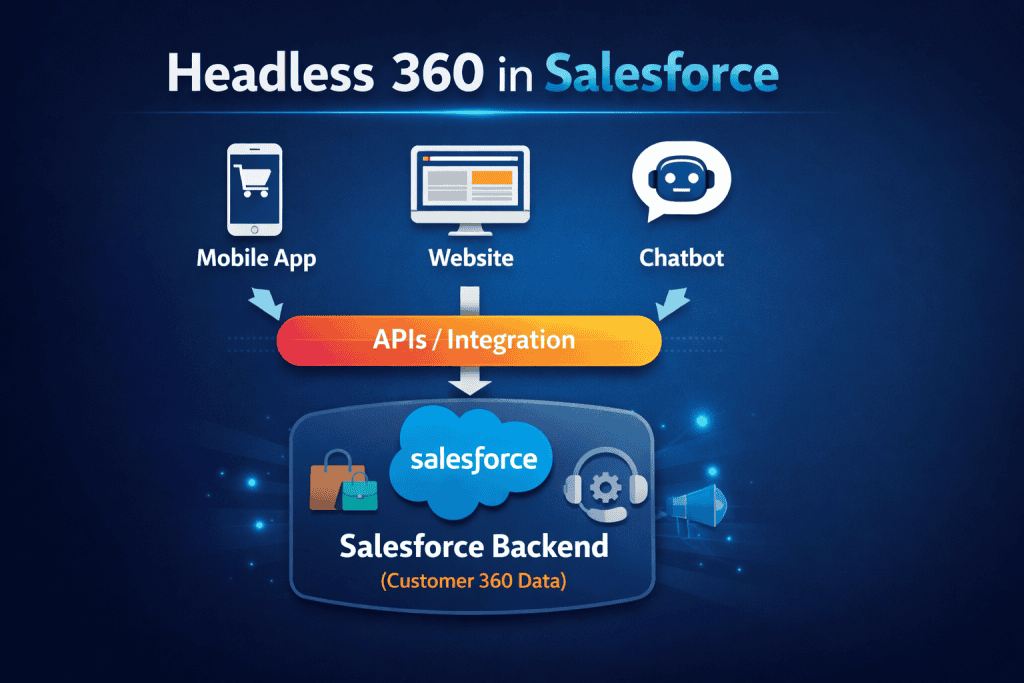
Headless 360 combines Headless architecture with Customer 360. It means Salesforce serves as the backend system that provides complete customer data, while the frontend is built separately and connected via APIs.
This allows businesses to deliver the same customer data across multiple platforms, such as web, mobile, and chatbots.
The frontend is fully customizable, and Salesforce handles all backend processing. This approach is widely used in modern applications where user experience is very important.
One-Line Definition:
Headless 360 in Salesforce is an architecture in which Salesforce serves as the backend, providing a complete customer view, while the frontend is built separately and connected via APIs.
Why Companies Use Headless 360?
Below, I will explain why companies are using Headless 360.
1. Better User Experience
Salesforce UI is designed mainly for internal users, not for customer-facing applications. Businesses want modern designs, smooth animations, and fast-loading pages. Headless architecture allows developers to build a fully customized UI using modern frameworks.
2. High Performance
Customer applications require high performance and fast response times. The Salesforce UI may not be optimized to handle large-scale public traffic. By separating the frontend, companies can optimize performance independently.
3. Multi-Channel Support
Customers interact across multiple channels, including websites, mobile apps, and chatbots. Salesforce UI cannot directly support all these platforms efficiently. Headless architecture enables a single backend to serve multiple frontends.
4. Flexibility for Developers
Developers can use technologies like React, Angular, or Flutter instead of being limited to Salesforce components. This provides more control over design and functionality.
Real-Time Example: E-Commerce Application
Let’s understand this with a detailed real-world scenario.
Scenario Overview
A company has:
- Website (React-based)
- Mobile App
- Chatbot
- Salesforce backend
They want to provide a seamless customer experience across all platforms.
Step 1: Customer Opens Website (Frontend)
The user opens a website built using React. This is not Salesforce UI. The website sends an HTTP request to the Salesforce REST API to fetch customer data and product details.
The customer visits an e-commerce website built with React, which serves as the application’s frontend.
React provides a fast, dynamic, and user-friendly interface that lets users browse products, view details, and add items to the cart.
This interface is completely separate from Salesforce and focuses on delivering a smooth and modern user experience.
At this stage, the customer interacts only with the React application, while Salesforce works in the background as the backend system. This separation of UI and backend is a key concept of the Headless 360 architecture.
Step 2: Fetch Data from Salesforce
Salesforce receives the API request and returns data such as:
- Customer details
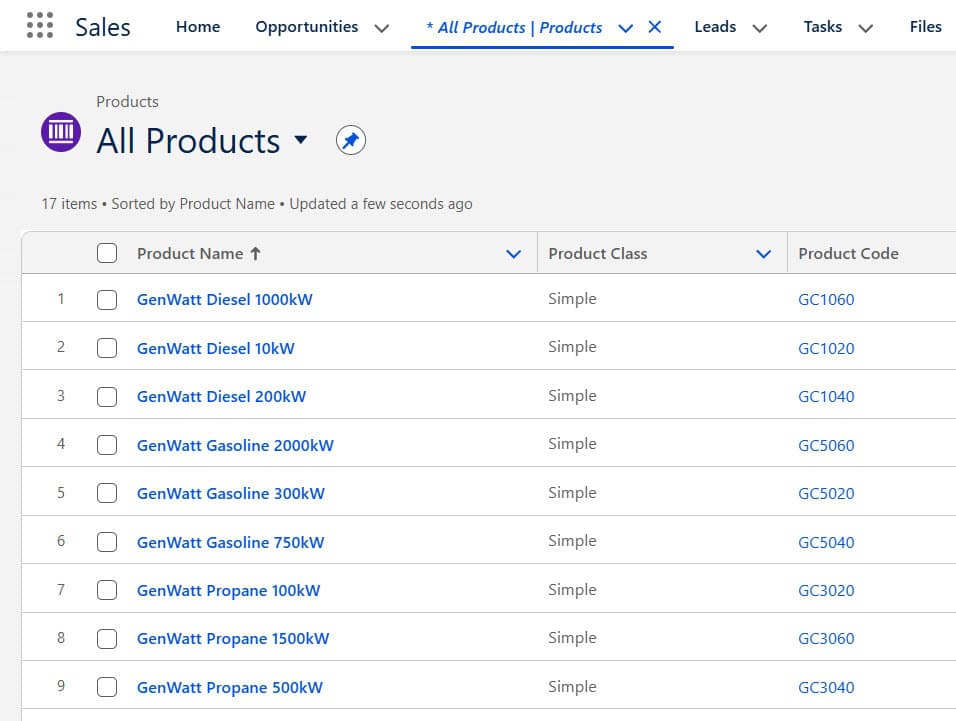
- Product list
- Recommendations
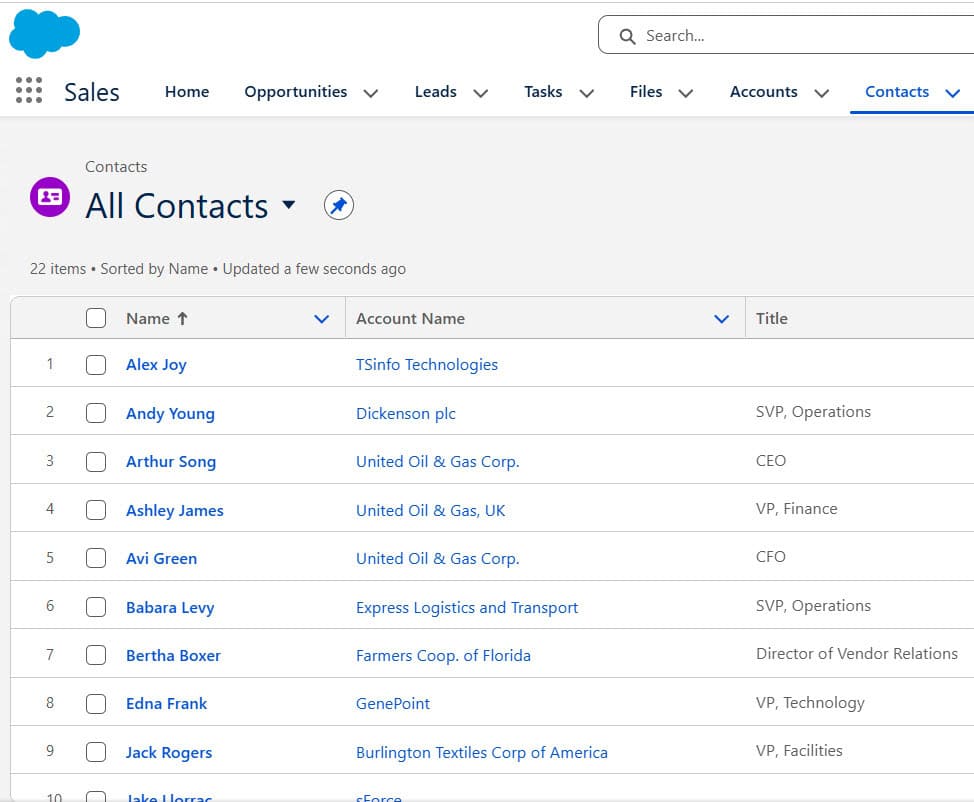
This data comes from Customer 360, where all information is stored in one place.
Salesforce Contacts record page, where the customer details get stored.
Add Product object data in Salesforce
Step 3: Display Data on Frontend
The frontend displays personalized information like:
- “Welcome, User”
- Recommended products
This is possible because Salesforce provides complete customer data.
Step 4: User Places an Order
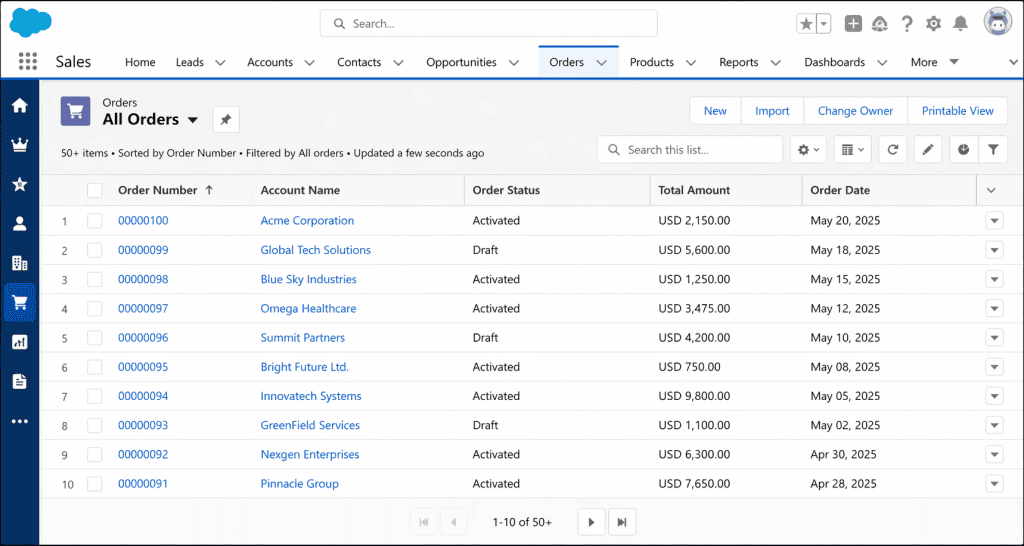
When the user clicks “Buy Now,” the frontend sends data to Salesforce using the API. Salesforce creates an Order record and triggers automated actions, such as sending confirmation emails.
Step 5: Data Sync Across Channels
Now the same data is available everywhere:
- Mobile App shows order details
- Chatbot shows order status
- Support team sees full history
This is the power of Headless 360.
How Salesforce(Backend) and Other Websites (Frontend) Connect
The connection between Salesforce and the frontend is made via APIs.
Step-by-Step Flow:
- Frontend sends a request (API call)
- Salesforce receives a request
- Apex or standard API processes data
- Salesforce sends a response
- Frontend displays data
Types of APIs Used:
- REST API
- Apex REST API
- GraphQL API
- Streaming API (for real-time updates)
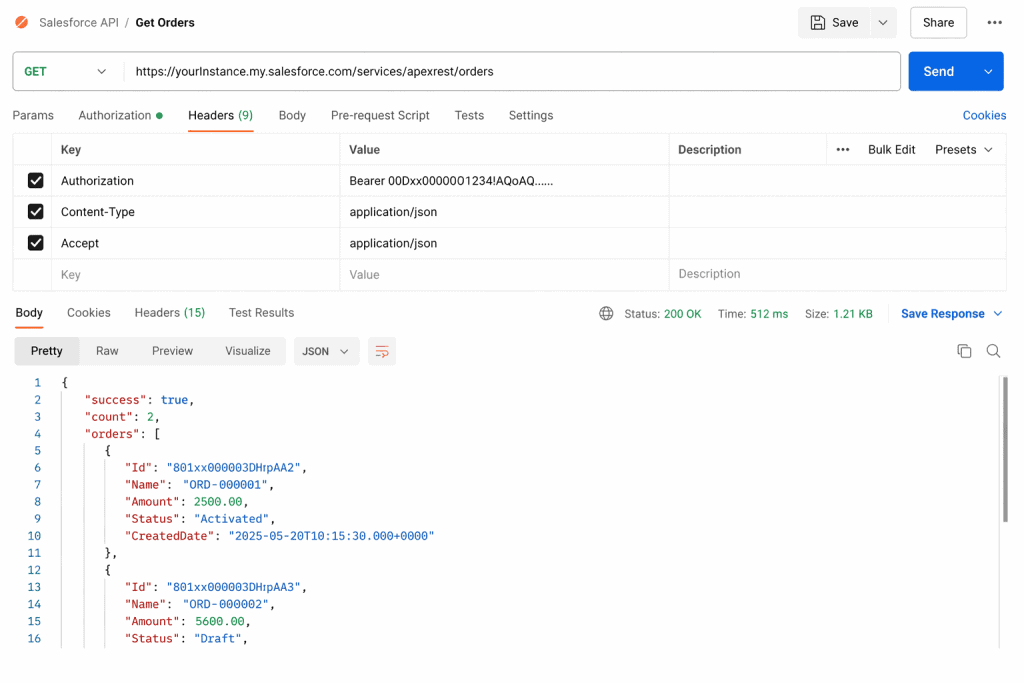
Example of API Flow:
- React app – calls /services/apexrest/getCustomer
- Apex class processes the request
- Salesforce returns a JSON response
- React displays data
@RestResource(urlMapping='/orders/*')
global with sharing class OrderRestService {

    // GET: Fetch all orders
    @HttpGet
    global static List<Order> getOrders() {
        return [
            SELECT Id, OrderNumber, Status, EffectiveDate, TotalAmount, Account.Name
            FROM Order
            ORDER BY CreatedDate DESC
            LIMIT 50
        ];
    }

    // GET: Fetch single order by Id
    @HttpGet
    global static Order getOrderById() {
        RestRequest req = RestContext.request;
        String orderId = req.requestURI.substring(req.requestURI.lastIndexOf('/') + 1);

        return [
            SELECT Id, OrderNumber, Status, EffectiveDate, TotalAmount, Account.Name
            FROM Order
            WHERE Id = :orderId
            LIMIT 1
        ];
    }

    // POST: Create new order
    @HttpPost
    global static String createOrder(String accountId, Decimal amount) {
        Order ord = new Order();
        ord.AccountId = accountId;
        ord.Status = 'Draft';
        ord.EffectiveDate = Date.today();
        ord.TotalAmount = amount;

        insert ord;

        return 'Order Created with Id: ' + ord.Id;
    }

    // DELETE: Delete order
    @HttpDelete
    global static String deleteOrder() {
        RestRequest req = RestContext.request;
        String orderId = req.requestURI.substring(req.requestURI.lastIndexOf('/') + 1);

        Order ord = [SELECT Id FROM Order WHERE Id = :orderId LIMIT 1];
        delete ord;

        return 'Order Deleted Successfully';
    }
}- This Apex REST class exposes Salesforce Order data as an API.
- External applications, such as React or mobile apps, can call these endpoints.
- The API returns data in JSON format, which the frontend can display.
Where Salesforce UI is Used in Headless 360
Even though Headless is powerful, Salesforce UI is still very important.
- Internal Users
- Sales teams, support agents, and admins use Salesforce UI daily. It is quick to set up and easy to use.
- Configuration and Setup
- Admins use Salesforce UI to create objects, flows, and automation.
- Simple Applications
- For basic portals or small applications, Salesforce UI is enough.
When to Use Headless 360 Over Salesforce UI
Use a headless approach when:
- You need a custom UI
- You have high-traffic applications
- You need multi-channel support
- You want better performance
Frequently Asked Questions
1. Is Headless 360 a Salesforce product?
No, it is an architectural approach, not a product.
2. Do we stop using Salesforce UI?
No, Salesforce UI is still used for internal users and admin tasks.
3. What skills are needed for Headless 360?
1. APIs
2. Apex
3. JavaScript frameworks
4. Is Headless used in all projects?
No, it is used only when there is a need for custom UI and high performance.
Conclusion
Headless 360 in Salesforce is a modern architecture that enables businesses to deliver powerful, flexible customer experiences.
Instead of relying completely on Salesforce UI, companies use Salesforce as a backend system and build custom frontends for better performance and design.
This approach is especially useful for large-scale applications where user experience and multi-channel support are important. However, Salesforce UI still plays a crucial role for internal users and system configuration.
Understanding Headless 360 will help you in real-world projects and interviews, as many companies are moving towards this architecture.
You may like to read:
- What is Salesforce Customer 360?
- Automate Salesforce Headless 360
- Agentforce Use Cases for Sales, Service, and Employee Support
- Assign Data Library to Agentforce Agents in Salesforce
- How Agentforce Service Agent Greet by User Name in Salesforce
- Salesforce Agentforce: Give Ability to AI Agent to Search on Web

Shubham is a Certified Salesforce Developer with technical skills for Building applications using custom objects, approval processes, validation rules, Salesforce flows, and UI customization. He is proficient in writing Apex classes, triggers, controllers, Apex Batches, and bulk load APIs. I am also familiar with Visualforce Pages and Lightning Web Components. Read more about me.