

In Salesforce development, building user interfaces that meet customer requirements is one of the most important tasks.
Earlier, developers used Aura Components to create dynamic UI in Salesforce. But now, Salesforce has introduced Lightning Web Components (LWC), which are modern, faster, and based on standard web technologies.
In this complete guide, you will clearly understand the difference between LWC and Aura Components in Salesforce, when to use each, how they work, and why LWC is preferred today.
What are Lightning Web Components (LWC)?
Lightning Web Components (LWC) is a modern UI framework introduced by Salesforce. It is built using standard web technologies like HTML, JavaScript, and CSS.
LWC follows modern JavaScript standards (ES6+) and uses native browser features, which makes it fast and efficient.
LWC is designed to improve performance and simplify development. It uses a lightweight framework and follows better coding standards than Aura. Developers prefer LWC because it aligns more closely with real-world web development practices.
Key Features of LWC
- Uses standard web technologies (HTML, CSS, JS)
- Faster performance due to native browser support
- Easy to learn for web developers
- Better security with Shadow DOM
- More reusable and maintainable code
When to Use LWC?
You should use LWC when you are building new applications, need better performance, and want to use modern JavaScript features. It is the best choice for most use cases today.
Here, we will understand where LWC should be used.
- When building new components
- When performance is important
- When using modern JavaScript features
- When creating scalable applications
Always prefer LWC for new development.
What are Aura Components?
Aura Components is an older framework provided by Salesforce for building Lightning applications. It uses a component-based architecture, where each component contains markup, controller, helper, and style files.
Aura was powerful when it was introduced, but it is more complex compared to LWC. It uses its own proprietary syntax and framework, which makes it harder to learn and maintain.
Key Features of Aura Components
- Component-based framework
- Uses custom syntax (not standard JavaScript)
- Supports event-driven architecture
- Can be used where LWC is not supported
- Supports legacy implementations
When to use Aura Components?
You should use Aura Components only when there is no LWC alternative available, or when you are working with existing legacy systems.
Aura is still useful in some cases.
- When LWC does not support a feature
- When working with legacy applications
- When using certain Salesforce events
Aura is mainly used for backward compatibility.
Sometimes, Aura is still required for specific features, such as interface implementations that LWC does not yet support.
Why Salesforce Introduced LWC?
Here, we will understand the main reason behind introducing LWC.
Salesforce introduced LWC to overcome the limitations of Aura Components. Aura had performance issues and required more code to achieve simple functionality. Developers also found it difficult to debug and maintain.
LWC uses modern JavaScript and browser APIs, reducing complexity and improving performance. It also aligns Salesforce development with standard web development practices, making it easier for developers to learn and build applications faster.
Understand the Structure of LWC vs Aura Components in Salesforce
In the next step, I will explain how files are structured in the LWC and Aura Component frameworks.
Structure of Lightning Web Component (LWC)
Now, we will understand how LWC is structured.
An LWC consists of:
- HTML file (UI)
- JavaScript file (logic)
- CSS file – style (optional)
- XML file (metadata)
Example:
myComponent.html
myComponent.js
myComponent.css
myComponent.js-meta.xml
Structure of Aura Component in Salesforce
Aura components have multiple files:
- Component (.cmp)
- Controller (.js)
- Helper (.js)
- Style (.css)
- Renderer (optional)
Example:
myComponent.cmp
myComponentController.js
myComponentHelper.js
myComponent.css
LWC’s structure is simpler and cleaner than Aura’s.
Example: Create an LWC Component with Apex in Salesforce
We will create an LWC that fetches Account records from Apex and displays them in a data table.
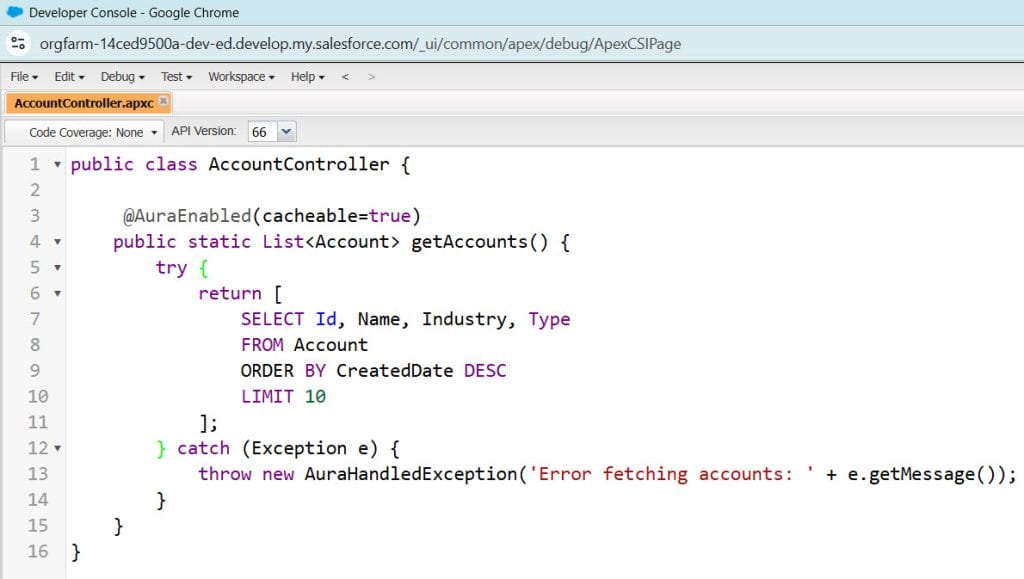
Step 1: Create an Apex Class
Go to → Setup → Apex Classes → New
public with sharing class AccountController {

    @AuraEnabled(cacheable=true)
    public static List<Account> getAccounts() {
        try {
            return [
                SELECT Id, Name, Industry, Type
                FROM Account
                ORDER BY CreatedDate DESC
                LIMIT 10
            ];
        } catch (Exception e) {
            throw new AuraHandledException('Error fetching accounts: ' + e.getMessage());
        }
    }
}- @AuraEnabled allows the method to be used in LWC
- cacheable=true, which improves performance
- SOQL query fetches account records
- Try-catch → Handles errors properly
Step 2: Create LWC JavaScript File
import { LightningElement, wire, track } from 'lwc';
import getAccounts from '@salesforce/apex/AccountController.getAccounts';

export default class AccountList extends LightningElement {

    @track accounts;
    @track error;

    columns = [
        { label: 'Name', fieldName: 'Name' },
        { label: 'Industry', fieldName: 'Industry' },
        { label: 'Type', fieldName: 'Type' }
    ];

    @wire(getAccounts)
    wiredAccountData({ data, error }) {
        if (data) {
            this.accounts = data;
            this.error = undefined;
        } else if (error) {
            this.error = error;
            this.accounts = undefined;
            console.error('Error:', error);
        }
    }
}- @wire is used to call the Apex method
- Data is stored in the accounts variable
- Error handling is included
Step 3: Create an HTML File
<template>
    <lightning-card title="Account List (LWC)">
        <template if:true={accounts}>
            <lightning-datatable
                key-field="Id"
                data={accounts}
                columns={columns}
                hide-checkbox-column>
            </lightning-datatable>
        </template>

        <template if:true={error}>
            <p class="slds-text-color_error">
                Error loading data
            </p>
        </template>
    </lightning-card>
</template>- template is used for rendering UI
- for:each loops through records
- Displays account name and industry
Step 4: Meta XML File
<?xml version="1.0" encoding="UTF-8"?>
<LightningComponentBundle xmlns="http://soap.sforce.com/2006/04/metadata">
    <apiVersion>60.0</apiVersion>
    <isExposed>true</isExposed>

    <targets>
        <target>lightning__AppPage</target>
        <target>lightning__HomePage</target>
        <target>lightning__RecordPage</target>
    </targets>
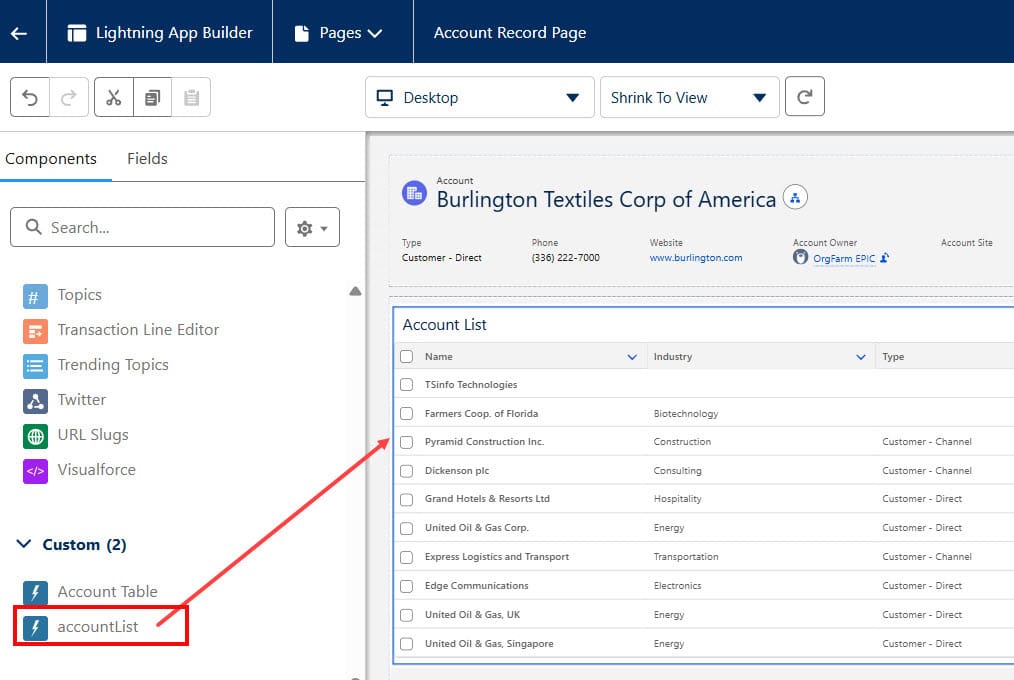
</LightningComponentBundle>- Deploy code from VS Code
- Go to Lightning App Builder
- Add component → accountList
- Save & Activate
Example: Create an Aura Component in Salesforce
Now, let’s see how the same functionality is done in Aura.
Step 1: Aura Component Markup (.cmp)
<aura:component controller="AccountController"
                implements="flexipage:availableForAllPageTypes">

    <aura:attribute name="accounts" type="Account[]" />
    <aura:attribute name="columns" type="List" />

    <aura:handler name="init" value="{!this}" action="{!c.doInit}" />

    <lightning:card title="Account List (Aura)">
        <lightning:datatable
            keyField="Id"
            data="{!v.accounts}"
            columns="{!v.columns}"
            hideCheckboxColumn="true" />
    </lightning:card>

</aura:component>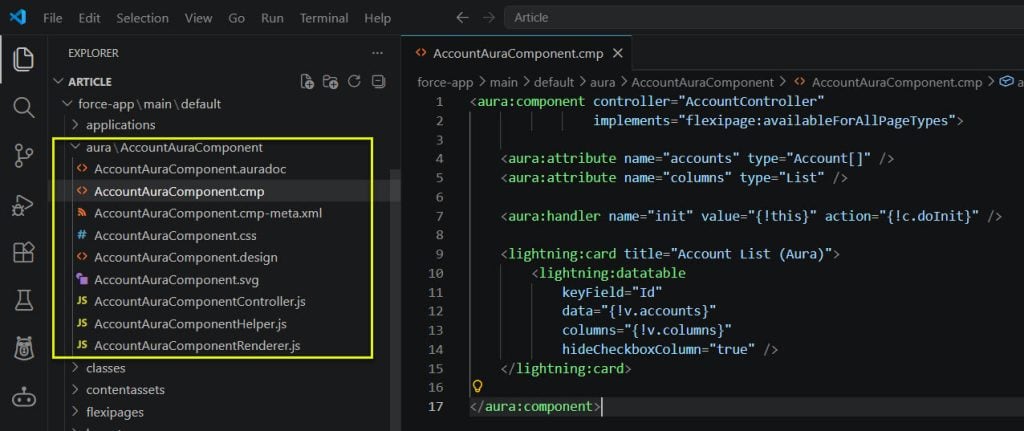
Step 2: Controller JS
({
    doInit : function(component, event, helper) {

        component.set("v.columns", [
            { label: 'Name', fieldName: 'Name', type: 'text' },
            { label: 'Industry', fieldName: 'Industry', type: 'text' },
            { label: 'Type', fieldName: 'Type', type: 'text' }
        ]);

        var action = component.get("c.getAccounts");

        action.setCallback(this, function(response) {
            var state = response.getState();

            if (state === "SUCCESS") {
                component.set("v.accounts", response.getReturnValue());
            } else if (state === "ERROR") {
                var errors = response.getError();
                console.error('Error:', errors);
            }
        });

        $A.enqueueAction(action);
    }
})- aura:handler triggers method on load
- Controller calls the Apex method
- $A.enqueueAction sends a request
Step 3: Meta XML
<?xml version="1.0" encoding="UTF-8"?>
<AuraDefinitionBundle xmlns="http://soap.sforce.com/2006/04/metadata">
    <apiVersion>60.0</apiVersion>
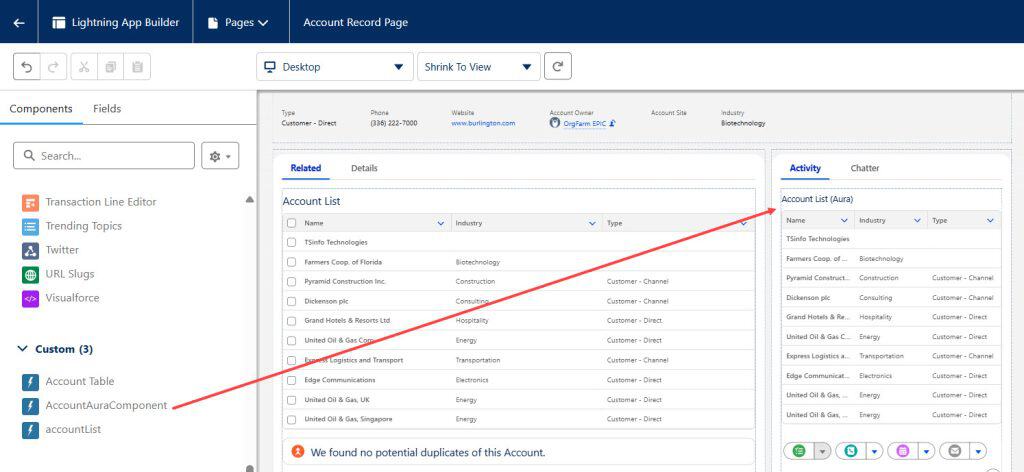
</AuraDefinitionBundle>- Deploy component
- Go to Lightning App Builder
- Add Aura component
- Save and Activate
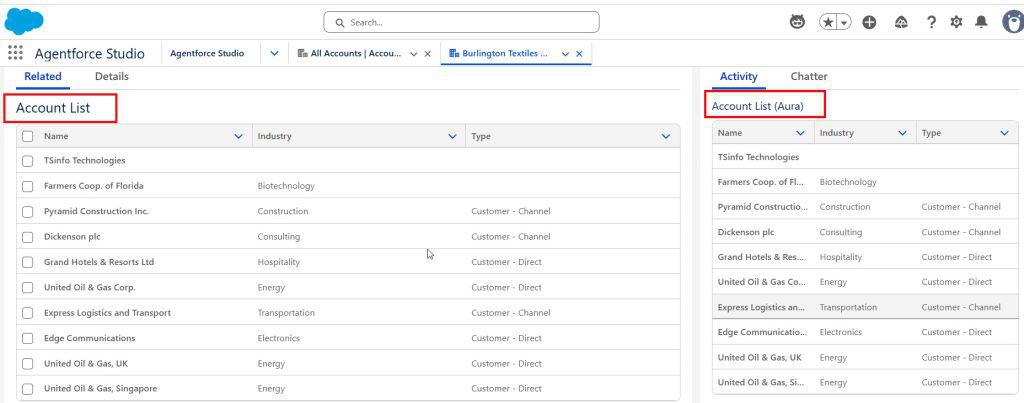
LWC vs Aura Components Comparison
| Feature | LWC | Aura |
|---|---|---|
| Performance | Fast | Slower |
| Technology | Standard JS | Proprietary |
| Learning Curve | Easy | Moderate |
| Future Support | High | Limited |
| Code Complexity | Low | High |
Frequently Asked Questions
1. Is LWC better than Aura?
Yes, LWC is better because it is faster, simpler, and based on modern web standards. Salesforce also recommends using LWC for new development.
2. Can we still use Aura Components?
Yes, Aura is still supported, but it is mainly used for legacy systems or specific features not available in LWC.
3. Can LWC replace Aura completely?
Not yet completely, but most use cases can now be handled with LWC.
4. Which one should beginners learn?
Beginners should learn LWC because it is easier and future-proof.
Conclusion
In this complete guide, we understand the difference between LWC and Aura Components in Salesforce. Aura was a powerful framework, but it had performance and complexity limitations.
LWC solves these problems by leveraging modern web standards and delivering better performance and simplicity.
If you are starting your Salesforce development journey, focus on learning LWC first. It will help you build modern, scalable, and high-performance applications. Aura should only be used when required for specific cases.
By understanding both frameworks, you can confidently build real-world Salesforce applications and grow your career as a Salesforce developer.
You may like to read:
- Render Multiple Templates in Salesforce Lightning Web Components (LWC)
- Salesforce Lightning Datatable Sorting in LWC
- Use Lightning Message Service (LMS) in Salesforce LWC
- Use Visualforce with Lightning Web Components (LWC) in Salesforce
- Salesforce: Call Apex From Lightning Web Components (LWC)

Shubham is a Certified Salesforce Developer with technical skills for Building applications using custom objects, approval processes, validation rules, Salesforce flows, and UI customization. He is proficient in writing Apex classes, triggers, controllers, Apex Batches, and bulk load APIs. I am also familiar with Visualforce Pages and Lightning Web Components. Read more about me.
