
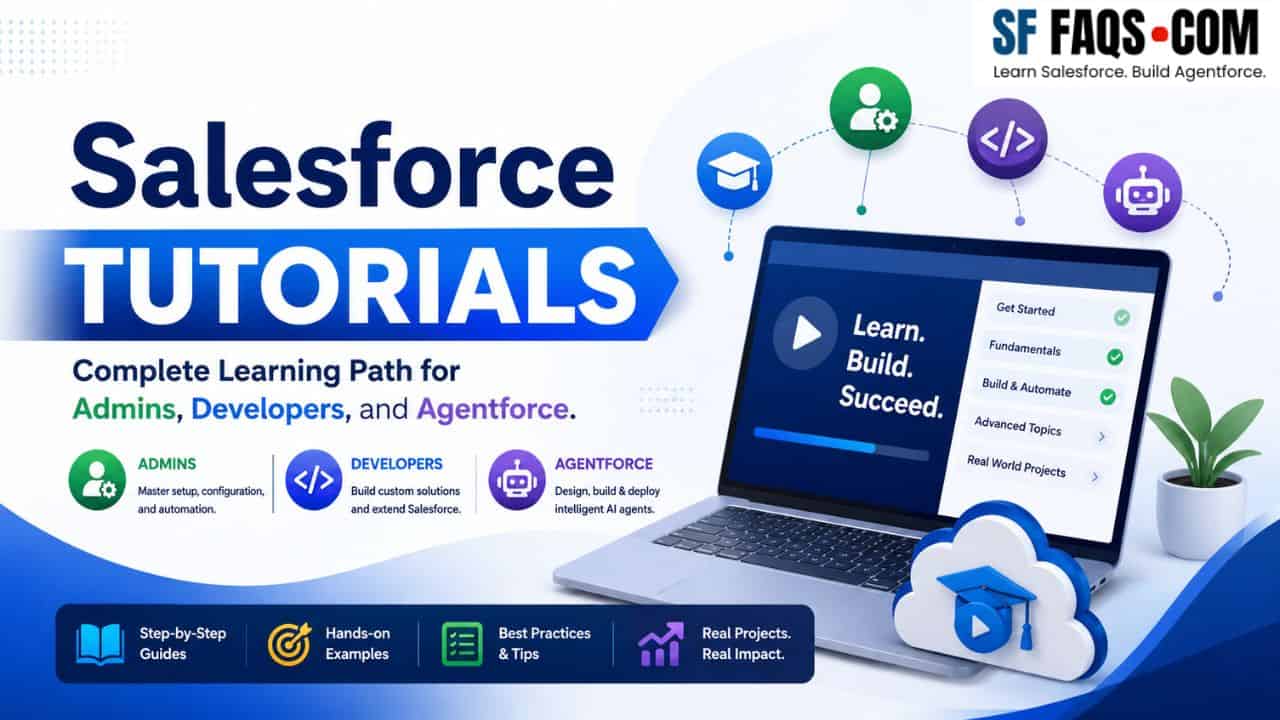
If you want to learn Salesforce step by step, I have organized this page as a complete learning hub for you. I created this guide to help you move from Salesforce basics to advanced concepts without feeling lost, and I have grouped the tutorials to make learning easier for beginners, admins, developers, and job seekers.
On this page, I will guide you through the main Salesforce tutorials that should appear on this hub page, while keeping topic-specific tutorial clusters such as Apex, Flows, LWC, Data Loader, Reports and Dashboards, Agentforce, Tableau, Omni-Channel, and Functions and Formulas on their dedicated secondary hub pages. That gives this page a cleaner structure and helps search engines understand it as the primary Salesforce tutorials hub.
How I recommend you use this Salesforce Tutorials hub
I recommend that you start with the Salesforce beginner tutorials first, then move to advanced Salesforce topics, and finally explore the data type tutorials, career guides, comparisons, and architecture topics. This learning path mirrors the breadth of topics already introduced on the Start page, including Salesforce basics, automation, reporting, customization, and platform concepts.
- Start with Salesforce basics if you are new to the platform.
- Move into admin and customization tutorials once you understand objects, fields, and records.
- Use the advanced section when you are ready for architecture, integrations, analytics, and cloud-specific topics.
- Explore the Salesforce data types section separately when you want to master fields, relationships, and metadata design.
Start here if you are new
If you are just starting with Salesforce and feeling overwhelmed, I recommend:
- Start Here – Learn Salesforce the Right Way
- Start here.
- Explains learning paths for Admins, Developers, Agentforce/AI, and Analytics, and sends you to the right hub pages.
Once you’ve read the Start page, come back here and use the topic sections below to continue learning.
Salesforce Tutorials for Beginners
If you are just getting started, build your foundation first. These beginner-friendly tutorials help you understand the platform, set up your org, work with users, manage records, and solve the common issues admins and new users face.
Getting Started with Salesforce Setup and Basic Configuration
Start with org setup, app setup, and basic configuration. These tutorials help you understand how Salesforce is structured and are ideal if you are learning Salesforce for the first time or setting up a new environment.
- How to Find Salesforce Org ID?
- How to Deactivate the Salesforce Developer Edition Org
- How to Set up Business Hours, Time Zone, and Language in Salesforce
- Salesforce Time Zone | How to Change Time Zone in Salesforce
- How to Setup Currencies in Salesforce
- Create Home Page in Salesforce
- How to Create a Custom App in Salesforce?
- Salesforce Lightning App Page
- How to Create Custom Objects in Salesforce?
- How to Create Custom Tabs in Salesforce
- How to Create Products in Salesforce
- How to Control Login Access Policies in Salesforce
- Setup Einstein Bots in Salesforce
- Where is Recycle Bin in Salesforce
Salesforce Leads, Cases, Tasks, Opportunities, and Daily CRM Work
Once you understand the setup, learn how everyday records work in Salesforce. These tutorials cover lead import, case management, task tracking, and opportunity handling — essential for admins and end users.
- How to Import Leads in Salesforce
- How to Export Leads in Salesforce
- How to Mass Delete Leads in Salesforce
- How to Merge Duplicate Leads in Salesforce
- Salesforce Document | My Personal Document
- Task in Salesforce
- How to Create a Case in Salesforce
- How to Close a Case in Salesforce
- Salesforce Chatter
- Create Task List View Salesforce Lightning
- How to Create an Opportunity in Salesforce
Salesforce User Management, Profiles, Access, and Security Basics
User management is one of the most important admin skills in Salesforce. These tutorials help you confidently manage users, licenses, profiles, passwords, sharing, and access issues.
- How to Create a User in Salesforce
- How to Check User Licenses in Salesforce
- How to Freeze and Unfreeze User in Salesforce
- Lock and Unlock User Accounts in Salesforce
- Profile in Salesforce | Create Profile in Salesforce
- How to Deactivate Salesforce User
- How to Create Community User in Salesforce
- Integration License Not Displaying While Creating Integration User in Salesforce
- How to Create Integration User in Salesforce
- How to Create a Public Link to Share Files in Salesforce
- Salesforce Profile Picture
- Enhance Profile View Salesforce
- How to Reset a User Password in Salesforce
- Create a Free Customer Chatter User in Salesforce
Common Salesforce Errors, Missing Buttons, and Troubleshooting Tutorials
Many users land on tutorials only when something is broken. This troubleshooting section matches real search intent and can drive strong SEO traffic from long-tail queries.
- Chatter Post button does not visible in Salesforce Lightning
- Assignee does not have permission to view cases in Salesforce
- We can’t display this page because your browser blocks cross-domain cookies in Salesforce Classic
- Chatter Publisher not Showing in Salesforce
- Salesforce Lightning Log a Call button missing
- New Task Button Not Showing in Salesforce Lightning
- Tabs Not Visible in Salesforce
- Convert button on lead not visible in Salesforce Lightning
- Quick Actions Missing from Case in Salesforce Lightning
- Edit Button not visible on Salesforce Lightning Page
- New Button Missing on Campaigns in Salesforce
- New Button Missing on Account Object in Salesforce
- Merge case button not showing in Salesforce
Salesforce Concepts and Platform Introduction
Before you move into advanced learning, understand the platform, its products, and career paths. These tutorials build conceptual clarity and are excellent for broad informational Salesforce searches.
- What Language Does Salesforce Use: Apex and Lightning Explained
- Apex Classes in Salesforce
- How to Get a Job at Salesforce
- What Is Salesforce Vlocity
- Explain Salesforce Opportunity Object
- What Does a Salesforce Architect Do
- Introduction to Journey Builder in Salesforce Marketing Cloud
- What Is Salesforce Integration
- What Is Salesforce AgentForce
- What Is the Use of Workbench in Salesforce
- How to Enable Knowledge in Salesforce
- What Is Salesforce Edge Network
- Free Salesforce CRM Suite for Small Businesses
- What is Salesforce Service Cloud?
- What is Sales Cloud in Salesforce?
- How to Use the Salesforce “Migrate to Flow” Tool
- How to Use Email Templates Directly in Salesforce Flow (Release Update)
Salesforce Advanced Tutorials
After covering basics, move into advanced Salesforce topics. This section is for admins, consultants, architects, and developers who want integrations, analytics, permission models, DevOps, cloud offerings, and enterprise-level capabilities.
Salesforce Platform, Architecture, and Advanced Concepts
Use this section to go deeper into Salesforce knowledge beyond day-to-day admin tasks and understand how Salesforce is used across enterprise scenarios.
- Salesforce CRM Analytics vs Tableau
- Salesforce Inbox vs Einstein Activity Capture
- Salesforce Notes and Attachments vs Files
- Difference Between Salesforce and Salesforce Lightning
- What Language Does Salesforce Use
- How Is Salesforce Used in Healthcare: Improving Patient Care and Operations
- What Is Salesforce DevOps
- What is Salesforce Business Analyst
- What Is an Identity User in Salesforce
- What Is an Advantage of the Salesforce Platform?
- What Is an App in Salesforce
- What Is Salesforce Optimizer
- What is Field Service Lightning (FSL) in Salesforce
- How to Create Knowledge Article in Salesforce
- How to Use the Salesforce Inspector
- How to Use Salesforce for Marketing
- What is Hyperforce in Salesforce
- What Is Salesforce Financial Services Cloud?
- What is SFDX in Salesforce
- What Is Salesforce Connect?
- Difference between 15 and 18 Digit Salesforce ID
- Salesforce Profiles and Permission Sets
- What Is a Platform Event in Salesforce
- What is Salesforce Inbox?
- How to Become Salesforce Developer with No Coding Experience
- Why Choose Salesforce
- How to Setup External Objects in Salesforce?
- Error: You don’t have the level of access necessary to perform the operation you required
- Create and Export Unmanaged Package For Flows as Zip File in Salesforce
- Create Downloadable Salesforce Packages with VS Code & CLI
- Free Salesforce CRM Suite for Small Businesses
Salesforce Data Types Tutorials
If you want to become strong in Salesforce administration or development, master Salesforce data types. The Salesforce Data Types hub explains why fields, relationships, picklists, formulas, and identifiers matter for data integrity, storage optimization, and application performance. Include this section completely on the main hub page.
Core Salesforce Field Types and Data Type Tutorials
These tutorials help you understand the most important field types used in Salesforce. I recommend this section especially for admins who design objects, create fields, and maintain clean data structures.
- Variables and Data Types in Salesforce Apex
- Salesforce Field Types
- Salesforce URL Field
- Roll-Up Summary Field in Salesforce
- Salesforce Email Field
- Text Formula Field Salesforce
- Salesforce Phone Data Type
- How to Change Field Type in Salesforce?
- Salesforce Image Field
- How to Set Default Value For Text Field in Salesforce
- Salesforce Unique Text Field
- Salesforce Change Text Field Length
- Salesforce Add Address Field to Custom Object
- Salesforce Checkbox Default Value
- Salesforce Checkbox Group
- How to Set Visible Lines for Text Area Long Field in Salesforce
Relationship Fields, Picklists, External IDs, and Advanced Field Configuration
When I mentor people on Salesforce customization, I spend a lot of time on relationships and controlled data entry. These tutorials cover master-detail, lookup, field dependencies, global value sets, geolocation, and external IDs.
- How to Delete Master-Detail Relationship in Salesforce
- External Lookup Relationship in Salesforce
- How to Set up Field Dependency in Salesforce
- Validation Rule for Phone Number in Salesforce
- How to Promote Existing Multi-select Picklist Field Value as Global Value Set on Salesforce
- Latitude and Longitude Display Notation for Geolocation Field Salesforce
- Convert Lookup to Master-Detail in Salesforce
- Add and Replace Picklist Values in Salesforce
- Deactivate and Remove the Global Picklist Value in Salesforce
- How to Add Fields to a Recently Viewed List in Salesforce
- How to Create an External ID in Salesforce?
- How to Enable and Create Recurring tasks in Salesforce
- How to Connect Slack with Salesforce
More Salesforce Tutorials to Explore After Learning the Basics
After beginner and advanced tutorials, dive into interview prep, career growth, comparisons, architecture, and business use cases. These are already listed after the conclusion on your Start page and deserve a dedicated section here because they target high-intent search queries.
Salesforce Interview Questions and Career-Focused Tutorials
If you are preparing for a Salesforce job, certification, or consulting role, this section will help you a lot. Interview-focused and salary-focused tutorials bring strong SEO traffic because readers search with clear intent.
- Salesforce Admin Interview Questions and Answers
- Salesforce Business Analyst Interview Questions and Answers
- Salesforce Marketing Cloud
- Salesforce Marketing Cloud Interview Questions and Answers
- Salesforce Experience Cloud
- Service Cloud in Salesforce
- How to Schedule Jobs Using the Apex Scheduler in Salesforce
- Salesforce Developer Interview Questions and Answers for 5 Years Experience
- How to Become a Salesforce Consultant: 5 Essential Steps for Success
- How Long Does It Take to Become a Salesforce Developer
- Salesforce Certified Administrator Salary Guide
- How Hard Is It to Learn Salesforce?
- How Much Do Salesforce Developers Make?
- 45 Salesforce Product Manager Interview Questions and Answers
- 35 Salesforce Service Cloud Interview Questions and Answers
- 50 Salesforce Software Engineer Interview Questions and Answers
- 50 Frequently Asked Salesforce Flow Interview Questions and Answers
Salesforce Comparisons, Business Use Cases, and Platform Decision Guides
These comparison articles help readers evaluate products, clouds, and tools, and they target commercial and informational search terms. This section makes the page broader and stronger as a true Salesforce knowledge hub.
- How to Use Salesforce for Customer Success
- How does Salesforce Use AI for Business Growth
- Top 10 Salesforce CRM Rivals
- Why Choose Salesforce for Your Business
- How to Use Salesforce for Project Management
- What is SFDC in Salesforce
- What Is Sandbox in Salesforce
- View and Read-only Permission Access in Salesforce
- 5 Essential Steps to Become a Salesforce Consultant
- Salesforce Marketing Cloud vs Pardot
- What is Salesforce Sales Engagement
- Salesforce Sales Cloud vs Service Cloud
- Salesforce RLM vs CPQ Comparison
- What Is Salesforce Lightning Experience
- Lead vs Contact in Salesforce
- How to Start a Salesforce Consulting Business
- Difference between Apttus CPQ and Salesforce CPQ
- What Is Salesforce Digital Engagement
- Salesforce Managed and Unmanaged Packages
- Master-Detail vs Lookup Relationships in Salesforce
- What is Metadata in Salesforce
- Adobe CDP vs Salesforce CDP
- Text and Text Area Fields in Salesforce
- Salesforce Process Builder vs Flow
- Polymorphic Relationships in Salesforce SOQL
- Zoho vs Salesforce for Small Business
- Domo vs Salesforce Wave Analytics
- Microsoft Dynamics 365 vs Salesforce Comparison
- Salesforce Community Cloud vs Experience Cloud
- What Is Salesforce CRM Analytics (CRMA)
- Difference Between Salesforce Custom Settings and Custom Metadata
- Salesforce Data Cloud vs Snowflake
- What is Salesforce Customer 360
- What Is Salesforce CDP (Customer Data Platform)
- Introduction to Salesforce OmniStudio
- Salesforce Marketing Cloud vs HubSpot
- Roles and Profiles in Salesforce: Key Differences
- NetSuite CRM vs Salesforce CRM: Comparison Guide
- Salesforce Service Cloud vs Zendesk
- Adobe Commerce vs Salesforce Commerce Cloud Comparison
- Marketo vs Salesforce Marketing Cloud
- Oracle CPQ vs Salesforce CPQ
- Comparison Between Oracle Sales vs Salesforce Sales Cloud
- What Does a Salesforce Consultant Do?
- Salesforce for Outlook vs Outlook Integration
- How to Create and Deploy Unmanaged Package in Salesforce
- Restrict Record Access For Users in Salesforce
- Log a Call in Salesforce to Track Customer Conversations
- Opportunity Object in Salesforce
- Customize the Salesforce Lightning Header Bar (Branding & Navigation)
- How to Show Logged-In User Details in the Salesforce Header
- Add a Custom Navigation Menu in Salesforce Lightning Experience
- Salesforce Process Builder vs Flow Builder
Salesforce Flows: your main automation tool
Salesforce Flow is the automation engine you should focus on today. It replaces most use cases for Workflow Rules and Process Builder.
Hub page for all Flow tutorials:
From the Flow hub, you can learn:
- The difference between record‑triggered, screen, scheduled, and autolaunched flows.
- Common patterns like before‑save field updates, approvals, and subflows.
- How to design flows that are bulk‑safe, easy to debug, and ready for production.
Use this section when:
- You want to automate business processes without writing code.
- You are migrating existing automation to Flow.
- You need ready‑made patterns instead of building everything from scratch.
Agentforce & AI agents: add intelligent automation
Once you are comfortable with core Salesforce and Flows, you can start adding AI agents with Salesforce Agentforce.
Hub page for all Agentforce tutorials:
From the Agentforce hub, you will learn:
- What Agentforce is and how it fits with Flows and Apex.
- How to design employee, service, and setup agents.
- How to use prompts, prompt templates, data libraries, and the Atlas reasoning engine.
- How to build and assign custom actions using Flow, Apex, and external APIs.
- How to deploy agents with Omni‑Channel and Slack, and design AI → human handoffs.
Use this section when:
- You want to build practical AI agents inside Salesforce, not just chatbots.
- You are planning an AI or Agentforce project and need real patterns to follow.
Formulas & functions: your everyday toolbox
Formulas and functions are everywhere in Salesforce: formula fields, validation rules, default values, Flow formulas, and report formulas.
Hub page for formulas and functions tutorials:
Inside the library, you will find:
- Date and time formulas for SLAs, age calculations, and schedules.
- Text formulas for labels, URLs, and display logic.
- Logical functions like IF, AND, OR, ISBLANK, CASE, and nested conditions.
- Cross‑object formulas and ID handling (for parent/child relationships).
- Reporting formulas and formulas used inside Flows.
Use this section when:
- You are building validation rules or formula fields.
- You need to express business rules or calculations in a single formula.
- You want to reuse proven patterns instead of trying to invent every formula from scratch.
Reports & Dashboards: visibility and analytics inside Salesforce
Before jumping to external BI tools, you should be comfortable with Salesforce Reports and Dashboards.
Hub page for SharePoint reporting tutorials:
Here you will learn:
- How to create basic reports and custom report types.
- How to build win/loss, stage duration, lead conversion, campaign, and “no activity” reports.
- How to group by month, quarter, or year, and how to use report‑level formulas.
- How to export reports to Excel for additional analysis.
Use this section when:
- Stakeholders are asking for “that one report” and you need a pattern to follow.
- You want to standardize reporting across multiple projects or clients.
Data Loader: bulk data operations
Data Loader is your best friend when you need to insert, update, or delete large amounts of data.
Hub page for Data Loader tutorial:
You will find tutorials for:
- Installing Data Loader.
- Performing insert, update, upsert, and delete operations.
- Mass‑updating users, territories, campaign member status, record types, and ownership.
- Importing attachments, notes, tasks, and events.
- Recovering and restoring deleted data after mistakes.
Use this section when:
- You are doing migrations or cleaning up data.
- You need to apply changes across thousands of records safely.
Apex & Triggers: move from Admin to Developer
Once you understand the platform and Flow, you can move into Salesforce Development with Apex and triggers.
Hub page for Apex & triggers tutorials:
From this guide, you will learn:
- Apex class structure, access modifiers, constructors, and interfaces.
- Trigger patterns, helper classes, and recursion prevention.
- Collections (List, Set, Map), SOQL, and best practices for bulk operations.
- Asynchronous Apex (Queueable, Batch) and callout patterns.
- Error handling and
addErrorusage, plus test classes and mocking.
Use this section when:
- Flow is not enough or becomes too complex for a given use case.
- You are building integrations, advanced logic, or performance‑critical features.
- You are preparing for developer roles or certifications.
Lightning Web Components (LWC): modern Salesforce UI
Lightning Web Components are the modern way to build UI in Salesforce.
Hub page for LWC tutorials:
From this hub, you will learn:
- LWC basics, decorators (
@api,@track,@wire), and component composition. - Event handling and communication between components.
- Lightning data table patterns: custom cell types, filters, search bars, pagination, exports, row actions, and drag‑and‑drop.
- How to call Apex from LWC and how to retrieve data without Apex using wire adapters.
- UI patterns like accordions, calendars, quick actions, and custom tabs.
Use this section when:
- You are building custom UI for users on Lightning pages.
- You want to give your Flows and data model a better user experience.
Omni‑Channel & routing: smarter service experiences
Omni‑Channel is Salesforce’s routing engine for chats, cases, and work items.
Hub page for Omni‑Channel content:
Here you will learn:
- How to enable and set up Omni‑Channel.
- How to configure Salesforce web chat.
- How to design skills‑based routing with configuration, Flow, and Apex.
- How to tune secondary routing priority and use outbound Omni‑Channel flows.
Use this section when:
- You are implementing or optimizing Salesforce Service Cloud.
- You are connecting Agentforce agents into live service channels.
Tableau & advanced analytics: beyond native reports
If you need more advanced analytics and dashboards on top of Salesforce data, Tableau is a strong option.
Hub page for all the Tableau tutorials:
You will find tutorials for:
- Connecting Tableau to Salesforce.
- Creating bar, line, area, pie, and gauge charts.
- Using Tableau calculations, including aggregate functions, LOD expressions, and table calculations.
- Designing dashboards and using dynamic zone visibility for interactive experiences.
Use this section when:
- Salesforce reports and dashboards are not enough for your analytics needs.
- You are building executive‑level dashboards or complex visual stories from Salesforce data.
Conclusion
If you’re serious about learning Salesforce, I recommend following this path: start with the beginner tutorials to build confidence, move into the advanced section to understand enterprise-level concepts, and then explore the data types tutorials to master fields, relationships, and metadata design. Use the interview and career-focused tutorials when you’re ready to prepare for jobs or certifications, and refer to the comparison guides when evaluating tools or clouds.
This hub page is designed to be your main entry point for all Salesforce tutorials on SalesforceFAQs, while keeping topic-specific clusters like Apex, Flows, LWC, Data Loader, Reports and Dashboards, Agentforce, Tableau, Omni-Channel, and Functions and Formulas on their own dedicated pages. Follow this structure, and you’ll have a clear, organized learning journey without feeling overwhelmed.